Music and the Spotify brand are inseparable to imagine. It has over 400 million users, over a whopping 70 million songs, and over 3 million podcasts approximately. Spotify has completely changed the world of music and our lives with a unique algorithm suggesting the best songs as per our likes and preferences. Surely it has made our lives easier. Spotify Premium offers an ad-free music experience with better sound quality and offline options. However, on the other hand, the ads it promotes for users without a subscription are super annoying. If you are someone looking for tips on how to get Spotify Premium for free, we bring you a helpful guide that will teach you how to get Spotify Premium free forever.

- How to Get Spotify Premium Free Forever
- Method 1: Through Free Trial by Spotify
- Method 2: Through Microsoft Rewards Program
- Method 3: Join Spotify Family Plan
- Method 4: Through Spotify Premium Student Plan
- Method 5: Through Spotify Premium Giveaways
- Method 6: Free Spotify Premium for Starbucks Employees
- Method 7: Through Spotify Song Downloader
- Method 8: Download Songs from YouTube Manually
- Method 9: Through Spotify Modded App
- Is Spotify Premium Plan Worth it?
How to Get Spotify Premium Free Forever
Here are some exciting features of Spotify premium plan.
- Download Option : Download up to 10000 songs for offline listening.
- Ad Free Experience : Get rid of all the annoying ads and enjoy music uninterrupted.
- Very High-Quality Audio : Listen to music in best quality at 320 KBPS for utmost musical magic and true audio experience.
- Group Sessions : Enjoy the same music remotely in real-time with other premium Spotify users up to 5 members. Each one can control and change the song.
There are multiple ways you can get Spotify Premium 3 months free or forever, with some legitimate legal ways and a few unofficial ones depending on the region, subscription history, and offer availability. Here we present a few working methods to get Spotify Premium for free.
Method 1: Through Free Trial by Spotify
Note : Make sure to cancel the free trial subscription before the plan expiry date to avoid subscription charges.
Method 2: Through Microsoft Rewards Program
Note : You can earn up to 30 points daily. Once reaching 30 points, you have to wait until the next day. Plus, you can earn a few extra points by using the Edge browser.
- To join the program, you need a Microsoft account. If you don’t have one, create a new Microsoft account .
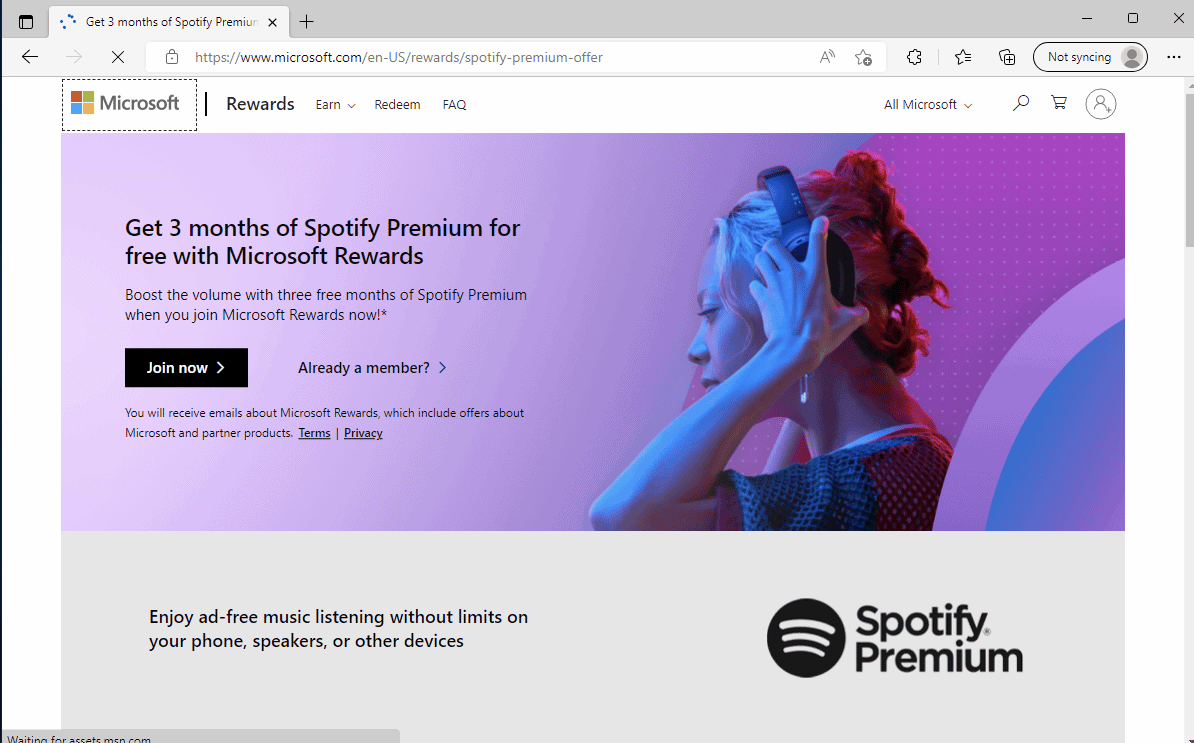
- Then, visit the Microsoft Rewards page to join the rewards program. Fill in the details and follow on-screen instructions to complete the process.

After that, start searching on Bing. You can check your score in the top right corner.
To view the complete rewards dashboard, click on the Medal icon and then click on Dashboard .

Method 3: Join Spotify Family Plan
Method 4: Through Spotify Premium Student Plan
There’s a free Spotify premium for students, which offers a free 1 or up to 3-month premium trial and after that continue premium at a discounted rate till the last year of college. Free Spotify Premium for students is available for up to four years and one should be above 18 years. To enroll for more information, go to Spotify Premium for Student page.

Method 5: Through Spotify Premium Giveaways
All you need to do is keep an eye on the popular social media giveaway pages and participate in as many as possible to increase your chances of winning it. One such subreddit page is the Freebies community . Not only Spotify, but you can also get many more exciting deals and freebies info on this page.

Method 6: Free Spotify Premium for Starbucks Employees

Method 7: Through Spotify Song Downloader
Above were some official methods to get Spotify premium free forever. If none of the above methods worked for you due to any reason, we are going to provide some unofficial tricks to get Spotify premium for free. First on the list is by downloading the songs offline with the help of Spotify Song Downloader. The process is simple: copy the link of any song which you have to download, and paste the link on the page of the song downloader. Here’s the detailed explanation and steps to save any Spotify song offline on your device:
Note : This method comes under piracy. So, whenever possible, try to support the artist in any way.
Option I: For Spotify Web Version
Open Spotify app or Web player.
Search any song that you want to download.
Then, click on the 3 dots icon on the selected song, hover the cursor to Share , and click on Copy Song Link .

Go to Spotify Downloader website .
Paste the link and click on Submit .

- Wait for a few seconds to load the song and then click on Download .

- Again, wait for a few seconds and after that click on Save .

- Lastly, you have to verify and watch an ad to download the song, click on Start verification .

- Make sure to disable any Adblocker extension or app, or else the page will not load. Then click on Verify .

- A video ad will pop up. Click on Skip Ad and your song will instantly be downloaded to your device with the original artwork.

Option II: For Spotify Mobile App
The steps are very much identical if you use Spotify mobile app. Here’s how to do it:
Open Spotify mobile app.
Search any song by tapping on the Search icon .

- Type the name of the song, and then tap on the 3 dots icon .

- Then tap on Share .

- And lastly, tap on Copy Link .

- After that, follow the same steps as mentioned above steps by opening the browser on your mobile and going to Spotify Downloader website .
Method 8: Download Songs from YouTube Manually
The whole point was going for ad-free uninterrupted music, but it seems the above method includes ads while downloading the song, plus the process is quite lengthy. So, if you are looking for a faster way, then this method is for you. Another unofficial way to get Spotify premium for free is by using YouTube Downloader. Almost every song is available on YouTube. In fact, there will be some indie or certain songs which would be only on YouTube. So, in this method, we are going to copy the link of the song’s video and paste it to the YouTube downloader site to save the song offline on your device. Follow these steps to download the song instantly:
Note: As it is a YouTube downloader, you can download the video as well in multiple formats. However, while downloading the song you may not get the album artwork with this method.
Go to the YouTube website.
Search for the song and click on the thumbnail to play the video.
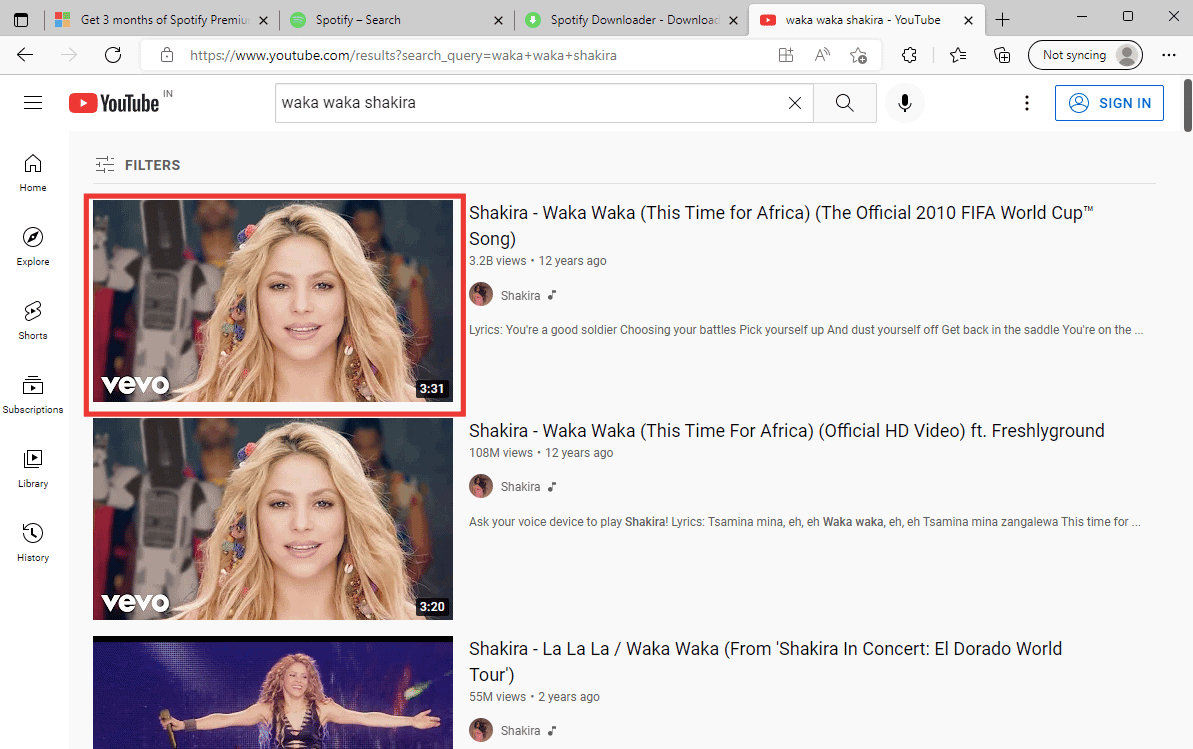
- Then add two P after YouTube in the address bar and hit Enter key .

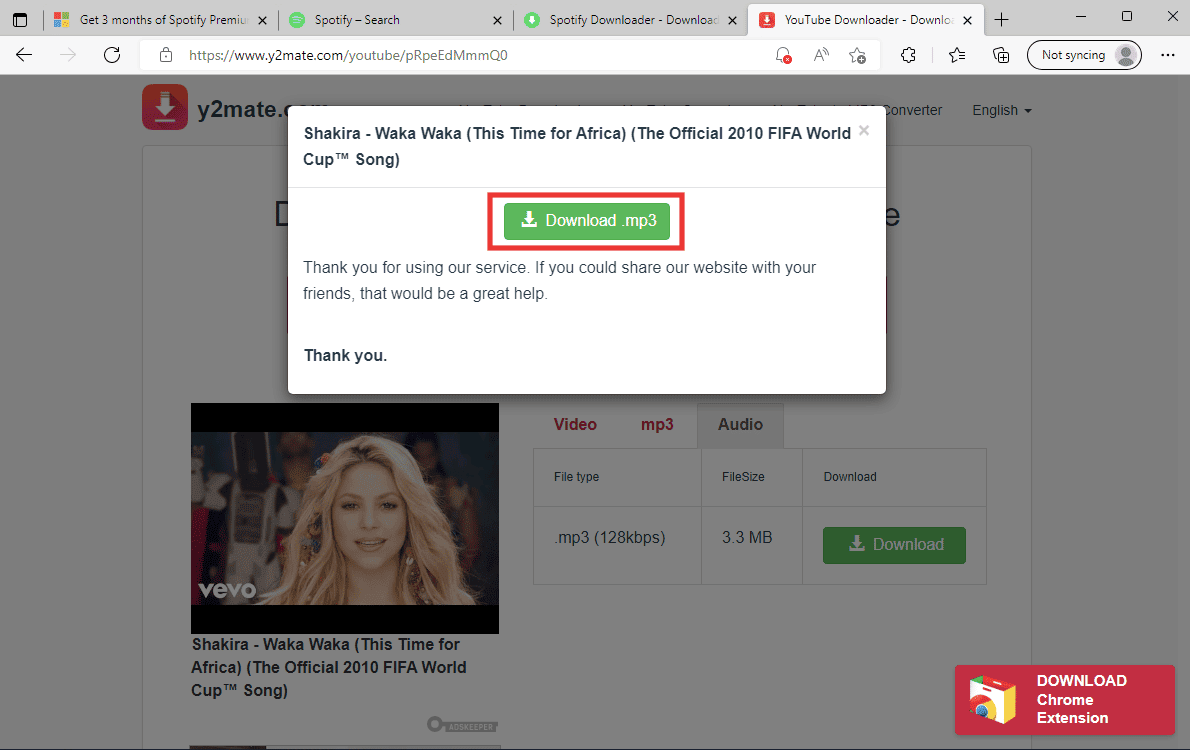
- A new page will open of y2mate.com YouTube downloader. Click on Audio and then click Download .

- After that, click on Download .mp3 and the song will be downloaded instantly.
Method 9: Through Spotify Modded App
Lastly, you can get all the perks of Spotify Premium by downloading a Spotify modded app. A modded app is a modified version of any paid app which enables all the paid and premium features for free. In short, an app with no paywalls and includes all the features. There’s an Android as well as an iOS Spotify modded app available on the internet, known as Spotify++ . However, we don’t recommend this method because of security concerns. These modded apps are usually altered which doesn’t guarantee any security and may carry malware and viruses. Plus, downloading it from unknown platforms and websites (e.g. APKMODYES ) adds more red flags to it. So, download it at your own risk.
Is Spotify Premium Plan Worth it?
It completely depends on your usage. If you’re a casual listener and don’t want to listen to or play music for a longer period or do not want to download songs offline to your device. And you are happy with normal sound quality and a few ads between songs, then you can completely avoid the premium plan. You don’t need it. But, if you’re an audiophile or professional musician who cares about every little detail and beat and wants to experience ad-free music with superior sound quality. Then you know it, the premium plan is for you and it will be completely worth it.
Q1. Best Alternative for Spotify?
Q2. Will my downloaded songs be there after Spotify Premium plan expires?
Ans. No , all your downloaded songs (10000 is the limit) will be deleted if you don’t continue the premium plan. So, if you want to keep the downloaded songs on your device, then you need to buy the plan, or else the downloaded songs will disappear.
Recommended:
- Fix Killing Floor 2 Unable to Find Match PS4
- Fix SADES Headset Not Working in Windows 10
- How Can You Change Your Spotify Plan
- How Do I Log Into Hulu With My Spotify Account
