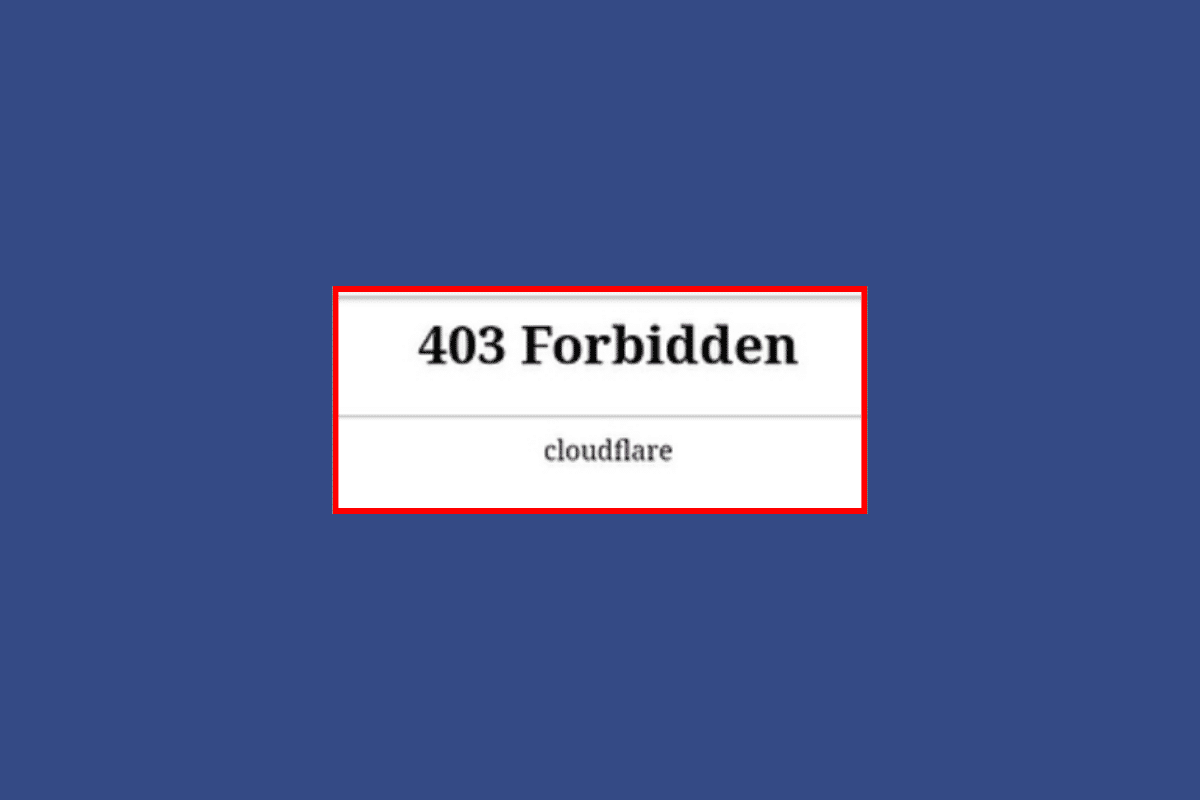
- How to Fix Cloudflare 403 Forbidden Error
- What does 403 Forbidden mean Cloudflare?
- What are the causes of 403 Forbidden Cloudflare Error?
- How to Bypass CloudFlare 403 Error
- Method 1: Clear Browser Cache and Cookies
- Method 2: Examine Cloudflare Firewall Rules
- Method 3: Allow Permission to Website
- Method 4: Upgrade Cloudflare
- Method 5: Use Different Browser
- Method 6: Pause Cloudflare Temporarily
- Method 7: Examine .htaccess File
- Method 8: Disable Browser Integrity Check
- Method 9: Unblock IP Address
- Method 10: Enable SSL on Domain
- Method 11: Contact Website Owner
- How to Bypass Cloudflare 403
- Send requests to Origin Server
- Scrape Google Cache Version
- Cloudflare Solvers
- Scrape with Fortified Headless Browsers
- Smart Proxy with Cloudflare Built-In Bypass
- Reverse Engineer Cloudflare Anti-Bot Protection
How to Fix Cloudflare 403 Forbidden Error
In this article, we will discuss the potential methods for 403 Forbidden Cloudflare fix.
What does 403 Forbidden mean Cloudflare?
An HTTP status code of 403 Forbidden indicates that although the client’s request was legitimate, the server is refusing to process it. It is often returned if the server is set up to deny access to the requested resource or if the client does not have access to it. When it comes to Cloudflare, it is typically returned when the client is denied access due to the WAF (Web Application Firewall) of the company or when the requested URL is not secured by an active SSL certificate.
Quick Answer Try deleting browser cache and cookies or upgrade Cloudflare to fix the issue. You can also examine Cloudflare firewall rules by logging into Cloudflare and navigating to the Firewall page , and then turning off rules .
What are the causes of 403 Forbidden Cloudflare Error?
After figuring out what does 403 Forbidden mean Cloudflare. Let us understand its causes. You will know there is a client-side issue if the error message you receive does not include the Cloudflare logo. It must handle issues with server authorization. Other causes of the status code, though, include:
- Empty website directory: One of the main causes of 403 Forbidden errors with Cloudflare is an empty website directory. This can happen if the web hosting provider is not properly configured, or if the website directory has been deleted or moved.
- Permission/Ownership: The error can be caused by incorrect file or directory permissions, or by the user not having the correct membership in the Cloudflare account or having the correct ownership of the file or directory.
- No Index Page: No index page as a cause of 403 forbidden Cloudflare can occur when a web page has not been configured with an index page.
- The causes of a 403 Forbidden error with Cloudflare can also include requests that violate WAF rules, subdomains that are not covered by a valid SSL certificate, IP denies rules, permissions rules, or browser cache .
How to Bypass CloudFlare 403 Error
The majority of the time, Cloudflare 403 Forbidden message means that the server is refusing to process the request because of inadequate permissions or authentication problems. But eventually, all the fixes depend on why are you being shown the error code. Now, that you know its causes, let us see some troubleshooting methods to fix it.
Method 1: Clear Browser Cache and Cookies
To fix a 403 Forbidden Cloudflare error code caused by issues on the client’s end, clearing the browser’s cache and cookies is often an effective solution. Follow our guide on how to clear cache and cookies in Google Chrome . After completing this, the client should attempt to reload the page once more to see whether the problem has been fixed. If the problem still exists, try the next method.

Method 2: Examine Cloudflare Firewall Rules
Examining the Cloudflare Firewall Rules is frequently a successful cure for a Cloudflare 403 Forbidden error. You must do this by logging into your Cloudflare account, going to the Firewall page, and then turning off any rules that might be preventing the client from accessing the website.
Method 3: Allow Permission to Website
Check the permissions of the files and directories on your website once you have established an FTP (File Transfer Protocol) connection. A typical permission setting for the files and folders is 644 or 755. The permissions of the files and directories can be changed using the FTP client.
Method 4: Upgrade Cloudflare
On Cloudflare, upgrading from a Free account to a Pro subscription may be able to resolve the 403 Forbidden problems. The Web Application Firewall (WAF) and DDoS protection included through Cloudflare’s Pro membership will help safeguard your website against assaults that might cause a 403 Forbidden error. Here’s how you can do it:
- Log in to the Cloudflare dashboard .

Open the external link and select your account and domain .
Go to Overview .
For Plan Extensions, select Change .
Choose the appropriate plan type, then select Continue .
Select Confirm .
After this is done, the changes should be reflected immediately and the client should be able to access the website again.
Method 5: Use Different Browser
Since the new browser will have a different set of settings and extensions, using it might help 403 Forbidden Cloudflare fix the issue. This is because the new browser might not be activating the security feature in the same way as the previous one. Furthermore, switching your browser could alter your IP address, which could help you get around any limitations or blockages imposed by Cloudflare.
Method 6: Pause Cloudflare Temporarily
Temporarily you can pause Cloudflare until the issue is resolved. By temporarily evading Cloudflare’s security mechanisms, pausing Cloudflare can assist in fixing the 403 Forbidden issues. When you halt Cloudflare, all traffic to your website is now sent straight to the origin server, bypassing Cloudflare’s network. You may do the same by,
- Log in to your Cloudflare Dashboard .

Open the external link .
Now, select your account and domain .
Go to Overview Tab, and choose Advanced Actions.
Click on the Pause Cloudflare on Site option.

Method 7: Examine .htaccess File
Web servers, such as Apache, employ the configuration file known as the .htaccess file to regulate access to directories and files on a website.
Incorrect or conflicting rules in the .htaccess file may cause the server to block access to some areas of the website, resulting in a 403 Forbidden error. You must look for any inaccurate or incompatible rules in the .htaccess file and make the appropriate changes to resolve this problem.
An FTP client or a file manager offered by your web hosting provider can be used to access the .htaccess file and check it. You can analyze the .htaccess file’s content and search for any rules that might be the root of the 403 Forbidden problems once you have gained access to it.
Method 8: Disable Browser Integrity Check
By disabling Browser Integrity Check, you can get around the security measure that marks some requests as possibly malicious or unauthorized. A Cloudflare security feature called Browser Integrity Check examines the HTTP headers of incoming requests to make sure they are being sent by actual web browsers and not bots or automated scripts. To disable the browser integrity check, follow the steps:
Log in to your Cloudflare Account.
Go to Security Center .

When this option is disabled, Cloudflare will no longer examine the HTTP headers of incoming requests; consequently, requests that were earlier marked as potentially malicious might now be permitted to access the website.
Method 9: Unblock IP Address
Cloudflare 403 Forbidden error may be resolved by ensuring that the IP address is not blacklisted, as Cloudflare reserves the right to do so if it notices harmful or suspicious behavior coming from a particular IP address. You might not be able to access the website and might encounter the 403 Forbidden messages if your IP address is restricted.
To check if your IP address is blocked, you can use an online tool that checks your IP address against Cloudflare’s database of blocked IP addresses. If the tool shows that your IP address is blocked, you can contact Cloudflare’s support team to request that they remove the block.
Method 10: Enable SSL on Domain
When attempting to access specific areas of your website, you can get the 403 Forbidden error if SSL has not been configured for Cloudflare. This is because SSL must be enabled in order for Cloudflare’s security capabilities to ensure that all connections to your site are secure and encrypted.
Establishing an SSL certificate for your domain is required in order to enable SSL on Cloudflare. There are various SSL certificate alternatives available from Cloudflare, both free and premium. You have the option of using an SSL certificate that Cloudflare offers or uploading your own SSL certificate.
Method 11: Contact Website Owner
If all the troubleshooting methods mentioned above in the article did not resolve the issue, then the last resort option is to contact the website owner or administrator. They will be able to provide more information about the access policies of the site and can help you troubleshoot the issue further.
Next, we will see how to Bypass Cloudflare 403.
How to Bypass Cloudflare 403
Cloudflare 403 Forbidden bypass errors refer to the process of circumventing the 403 error that is returned by Cloudflare when an attempt is made to access a website. This error is commonly encountered when attempting to scrape a website that is protected by Cloudflare’s service. However, you are very lucky because we bring you a few approaches on how to Bypass Cloudflare 403.
Note: It may be illegal and result in legal repercussions to attempt to get bypass the security features set by Cloudflare.
1. Send requests to Origin Server
You can make requests straight to the Origin Server to get around Cloudflare 403 Forbidden bypass. This indicates that you are avoiding the Cloudflare network and directing your queries to the web server that is hosting the website. A proxy or particular HTTP headers are frequently used for this.
2. Scrape Google Cache Version
Another method to get around 403 errors from Cloudflare is to scrape the Google Cache version of a website. Google will save a copy of the requested web page on its servers as a cached copy. You can get to this cached version by going directly to the cached page.
Note: note that the information provided in the cached page may not be up to date, as it is a version of the page stored by Google.
3. Cloudflare Solvers
Tools known as Cloudflare solvers are employed to get beyond the service’s anti-bot defense and scrape-protected web pages. With the use of these tools, it is possible to send requests straight to the origin server, avoiding Cloudflare, or to use particular HTTP headers to go over Cloudflare’s anti-bot defense.
4. Scrape with Fortified Headless Browsers
It is possible to get around Cloudflare 403 Forbidden bypass, error by scraping with armed headless browsers. This entails the use of automated web scraping tools that come with headless browsers built against Cloudflare’s anti-bot defense. The software may bypass Cloudflare and ensure that requests are correctly executed by employing a fortified headless browser to transmit requests straight to the origin server.
5. Smart Proxy with Cloudflare Built-In Bypass
Bypassing Cloudflare 403 errors can be done with Smart Proxy with Cloudflare Built-In Bypass. Utilizing a clever proxy service created particularly to get around Cloudflare is required for this. Requests can be routed through the proxy service, bypassing Cloudflare and making sure that they are transmitted straight to the origin server. The proxy service is set up with a list of IP addresses that are known to be connected to Cloudflare.
6. Reverse Engineer Cloudflare Anti-Bot Protection
In order to find vulnerabilities and openings that can be used to go around the system, this entails examining the anti-bot protection system’s underlying code developed by Cloudflare. Reverse engineering methods can be used to pinpoint the precise HTTP headers that can be used to get around Cloudflare’s anti-bot defense, allowing requests to go straight to the origin server without being stopped .
Recommended:
- Fix Zoom Account Disabled Error
- How to Use ChatGPT on Mac
- Fix Dropbox Not Enough Space to Access Folder
- NextDNS vs Cloudflare: Which is the Faster DNS?
When you search for anything on your browser, let’s say you search for YouTube, it is the Domain Name Server (DNS) that pulls up YouTube from the IP addresses that the DNS server stores. A DNS provider offers you to control and secure your network. You can filter out unwanted content that you might not want your kids to review. Or filter out any kind of content on the internet, including privacy protection, helping you load sites faster, etc. NextDNS and Cloudflare are such DNS providers. In this article, we will discuss what is NextDNS and what is Cloudflare DNS. And we will also learn some differences between NextDNS vs Cloudflare. First, let’s look at what is NextDNS.

- NextDNS vs Cloudflare: Which is the Faster DNS?
- What is NextDNS?
- What is Cloudflare DNS?
- What is the NextDNS vs Cloudflare DNS Comparison?
- Is NextDNS Faster than Cloudflare?
NextDNS vs Cloudflare: Which is the Faster DNS?
What is NextDNS?
NextDNS is a cloud-based DNS service provider that helps you to protect from security threats with over 10+ different types of protection, offers web content filtering, and many other features. NextDNS also offers various monitoring options. Let’s look at some of the best features of NextDNS.
- NextDNS is compatible with most devices, it offers mobile apps for Android, and iOS, easy installations for macOS, Windows, Linux, and Chrome OS, and you can install it on your router. NextDNS offers you complete control over your internet and the devices that are connected to it as it manages the traffic coming in and out of your computer. NextDNS helps you to secure your network and protect your privacy and data with its advanced features.
- Protects you from millions of malicious domains and works as a firewall against malicious websites and malware distributed by malicious domains. NextDNS also offers adult content filtering, you can filter unwanted adult content so that your kids don’t review such sites or restrict their access to these sites. NextDNS also improves your browsing experience.
- Prevents phishing attacks as it is one of the major cybersecurity threats nowadays. It prevents hackers from sending you phishing emails and launching phishing attacks on your system.
- Prevents online tracking and ensures your privacy and protection of data from potential hackers, malware, and viruses. By enabling NextDNS on your device or system, you can block ads and trackers on the web. NextDNS offers you privacy lists, VPNs, proxies, Tor-related software, and more.
- Monitoring of all the internet activities, with NextDNS you get all the insights and analytics of your internet activities, and you can filter the insights and logs by devices. Logs include your blocked domains, queries, etc. With a clear and easy-to-use interface and navigation, monitoring your internet activity becomes quite easy.
These are some of the best features you get while using NextDNS, Cloudflare is another such DNS service provider, let’s look at what is Cloudflare DNS, and we will also look at some of its unique features.

Also Read : 10 Best Public DNS Servers in 2022: Comparison & Review
What is Cloudflare DNS?
Cloudflare DNS is another DNS (Domain Name Server) service provider that answers all DNS queries for your domain by Cloudflare’s global Anycast network. Cloudflare DNS protects you from some common attacks involving DNS and improves your browsing experience. Let’s look at some benefits of using Cloudflare DNS.
- Protects against attacks involving DNS , like DNS spoofing/cache poisoning that happens when you are made to visit a malicious website instead of the correct website, or you will be directed towards a replica of the site you want to visit. Cloudflare offers other DNS security like DNSSEC, DDoS mitigation, load balancing, and multi-DNS functionality.
- Cloudflare DNS is one of the fastest in the world that offers the fastest response time, advanced security, and unparallel redundancy. And has servers in 200+ countries.
- Secure your network from anywhere, whether you are on your home network or your office Cloudflare offers to help you connect, secure, and accelerate networks. Cloudflare is a DNS service provider for more websites than any other service provider.
- Offers dedicated software and applications that you can download from 1.1.1.1 for Android, iOS, Windows, and macOS, and set up extra settings on any of these platforms.
- Privacy protection, the Cloudflare DNS replaces your ISP’s DNS that will encrypt every request the device sends so that no one can read those requests.
Therefore, these are some of the benefits that you get while using Cloudflare DNS, as we have learned about both the DNS service providers, now let’s look at NextDNS vs Cloudflare DNS comparison.

What is the NextDNS vs Cloudflare DNS Comparison?
A DNS provider offers you to control and secure your network, and NextDNS and Cloudflare DNS offer that too. We have come across their features and learned about them in detail in this article, now let’s check NextDNS vs Cloudflare DNS comparison.
| NextDNS | Cloudflare DNS |
|---|---|
| Setting up NextDNS can be a difficult task. | Cloudflare DNS installation takes no time to set up and requires no technical skill. |
| Protects you from millions of malicious domains and offers adult content filtering. Also works as a firewall against malicious websites | Offers DNS security like DNSSEC, DDoS mitigation, load balancing, and multi-DNS functionality. But it lacks security protection against malware and phishing sites. |
| Compatible with most devices, it offers mobile apps for Android, and iOS, easy installations for macOS, Windows, Linux, and Chrome OS, and you can even install it on your router. | Offers dedicated software and applications for Android, iOS, Windows, and macOS, and mobile app support with Warp. |
| Monitors all your internet activities and provides you with detailed logs and analytics. | Cloudflare doesn’t provide detailed monitoring compared to NextDNS. |
| Blocks ads and malware from malicious websites. | Lacks ad-blocking features. |
Also Read : Unraid vs FreeNAS: Which is Best for Storage?
Is NextDNS Faster than Cloudflare?
Both are equally fast . Well, you have learned that when it comes to speed then Cloudflare DNS is one of the world’s fastest, but NextDNS is about as fast as Cloudflare DNS. Cloudflare has servers in 200+ countries, which makes Cloudflare DNS able to access the sites more quickly.
Q1. What is a DNS server?
Ans . DNS server stands for Domain Name Server, which translates requests or queries of domains into IP (Internet Protocol) addresses.
Q2. Why use the public DNS Server?
Ans . Public DNS systems like Cloudflare, or Google DNS are better than the servers that are maintained by internet service providers. You should use public DNS servers as they offer faster speeds, maximum uptime, and increased security.
Q3. What are some fastest DNS servers?
Ans . Some popularly known best and fastest DNS Servers list:
- Google Public DNS
- Quad9
- OpenDNS Home
- Cloudflare
- Comodo Secure DNS
- NextDNS
- Alternate DNS
Q4. How can I find my DNS server?
Ans . To find your DNS server follow these steps for Windows users:
Press Windows + R keys on your PC or laptop. To open Run dialog box .
Type CMD .
Then, type ipconfig/all .
Look for the field address next to the DNS server .
For macOS users:
Open System Preference from the Dock .
Click on Show all .
Then, click on Network .
Click on the Advance tab .
Now, click on DNS .
Q5. Does NextDNS block YouTube ads?
Ans . No, NextDNS cannot block YouTube ads, as the NextDNS ad filter is based on blocking domains, thus it cannot block any first-party ads like YouTube ads, Instagram ads, etc. It will block the entire content rather than blocking just the ads.
Recommended :
- How to Change WhatsApp Number without Notifying Contacts
- Illustrator vs CorelDRAW: Detailed Comparision
- How to Enable DNS over HTTPS in Chrome
- How to Change DNS Server on Windows 11
