Account Managers can access almost all functions and manage lines on a Verizon account. And as it is a responsible role, you may want to assign it to the person you deem most suitable to keep the sensitive account information safe. With this tutorial, you will learn to remove and change the account manager on your Verizon account to improve overall management.

- How Do I Change the Account Manager on Verizon
- What is an Account Manager on Verizon?
- How Do I Change the Account Manager on Verizon?
- How to Remove Account Manager from Verizon?
How Do I Change the Account Manager on Verizon
Quick Answer To change the account manager on Verizon, you’ll need to follow these steps: 1. Launch the My Verizon app and select the Account tab. 2. Tap on Edit profile & Settings and then select the Assign account managers option. 3. Then, tap on the Delete icon for the current account manager to remove them from the role. 4. From the Assign account managers menu, tap on the Add manager option. 5. Enter the new manager details and tap on Add .
What is an Account Manager on Verizon?
An account manager on Verizon is a person designated by the account owner to manage their account and make changes to it. The account manager has full access to the account information of the account owner and can:
- Make changes to the plan
- Add or remove lines
- Purchase devices
- Pay bills
- Manage other account-related activities
An account owner can add up to 3 account managers to their account who needs to be at least 18 years old (or 19 years if a resident of Alabama or Nebraska). A Verizon account manager can be anyone whom you trust.
Also Read : How to Change the Family Manager on PS4
How Do I Change the Account Manager on Verizon?
To know how do I change the account manager on Verizon, follow these steps:
Note : Make sure you are logged into the My Verizon app. Also, only the account owner can remove and change the account managers.
Open the My Verizon app on your phone.
Tap on the Account tab from the bottom of the screen.
Tap on the Edit profile & Settings option.
Then, tap on the Assign account managers option.
Now, under the Current Account Managers section, tap on the Delete icon next to the desired account manager you want to remove.
Then, return to the Assign account managers section and tap on the Add manager option.
Enter the First and last name and email address of the person who you want to assign as the new account manager.
Select the desired mobile number of your Verizon account.
Tap on the Add option to add the account manager successfully.
Also Read : How Can You Remove a Line from Your Verizon Plan
How to Remove Account Manager from Verizon?
Below are steps explaining how to remove the account manager on Verizon:
Note : Only account owners can remove the account manager on Verizon.
Visit the Verizon Sign In page on your browser.
Enter your User ID / Verizon mobile number and click on the Continue option.

Enter your Password and mark the Remember my User ID checkbox.
Then, click on the Sign in option.

- Enter the answer for the mentioned security question and click on Continue to verify your account.

Once you are in your Verizon account, click on My Profile .
Click on the Account Management option from the left pane.
From the Account Management page, click on Account Manager , if not selected already.
Click on the Remove option beside the Account Manager you want to remove.
Access your email account and follow the Verizon verification link from the received email to confirm the change.
Recommended :
- Fix Microsoft Teams Error Code CAA5004B
- What To Do If I Forgot My Sprint Pin
- How to Bypass Verizon Activation Screen
- What is Windows 10 Boot Manager?
Sprint offers an extensive selection of wireless and mobile broadband products from various manufacturers. Sprint’s partner device manufacturers include Blackberry, Apple, HTC, LG, Samsung, and more. The My Sprint app gives users many facilities, some fun stuff like custom offers and app-exclusive experiences, and bill-pay support. You can get the My Sprint app on your phone by installing it from the Google Play Store. To use this app, you need to create an account by giving your username and password, but if somehow you forgot the sprint pin, there’s no need to get worried about it. Just follow the steps mentioned in this article. If you are someone looking for tips on what to do if I forgot my sprint pin, then this article is for you. We bring you a helpful guide that will teach you how to reset a forgotten Sprint pin.

- What To Do If I Forgot My Sprint Pin?
- What is Sprint Default PIN?
- How to Reset Sprint Pin
What To Do If I Forgot My Sprint Pin?
Sprint Corporation is one of America’s biggest telecommunications companies. It was founded by Cleyson Brown on December 21, 1899, and is owned by T-Mobile. Its headquarters are located in various parts of the world such as Overland Park, Kansas, U.S. Moreover, the company focuses on providing wireless voice, messaging, and broadband services through its various subsidiaries under the Boost Mobile and Open Mobile brands.
Quick Answer In case you forget your Sprint pin, here is what you can do: 1. Visit Sprint’s official website and log in to your account. 2. Navigate to Security Information in Profile & Security . 3. Update your PIN and save the changes.
What is Sprint Default PIN?
Sprint PIN is a Personal Identification Number that can be anywhere between 6-10 digits . This number is used to identify your identity while calling Sprint customer support or visiting a Sprint retail store. Apart from this, Sprint default PIN is also required while registering an account at the official Sprint website.
As you might have already guessed, Sprint PIN adds an extra layer of protection. This way, you can relax as no one can access your Sprint account without authorization.
How to Reset Sprint Pin
Many times, we end up forgetting our saved passwords and losing access to our social media accounts. In this case, here are the steps to learn how to reset the Sprint pin in a few easy steps:
Go to the official Sprint website .
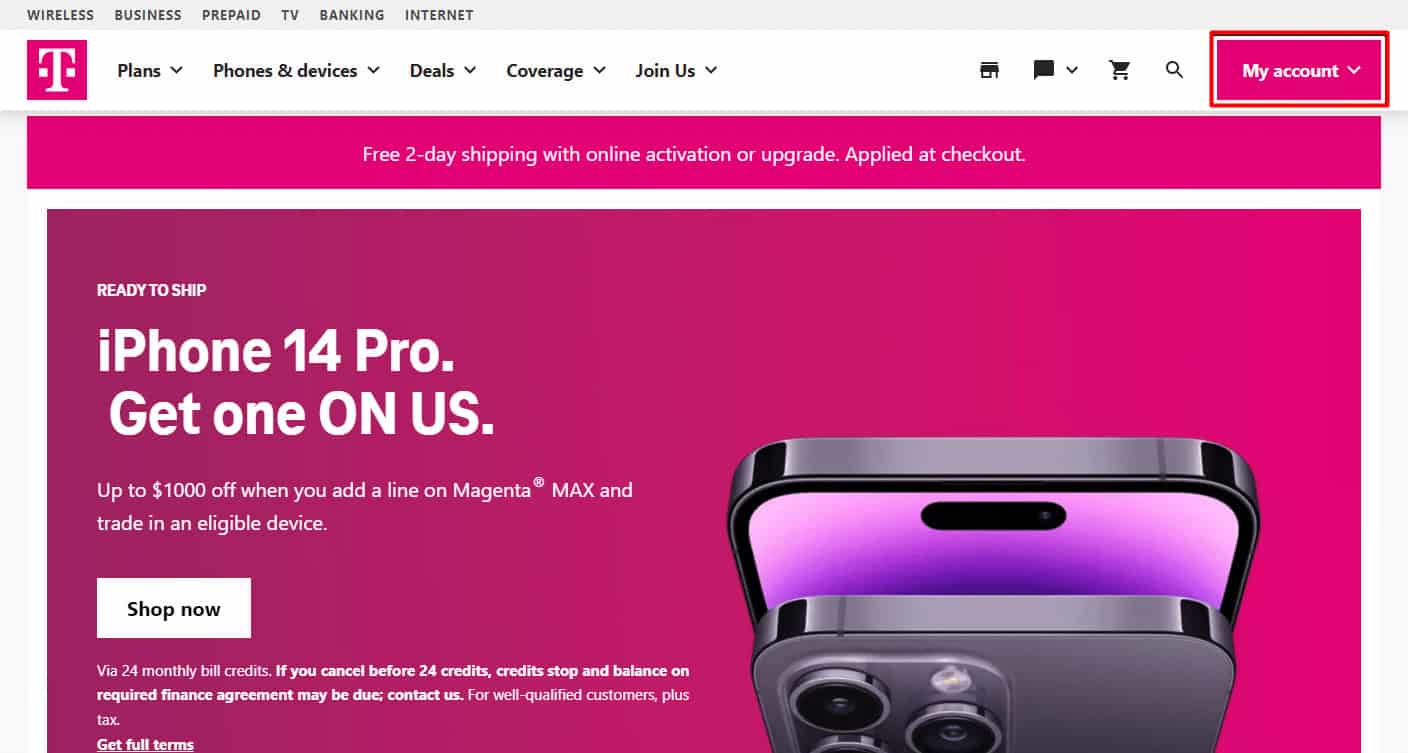
Click on My account to open a drop-down menu.
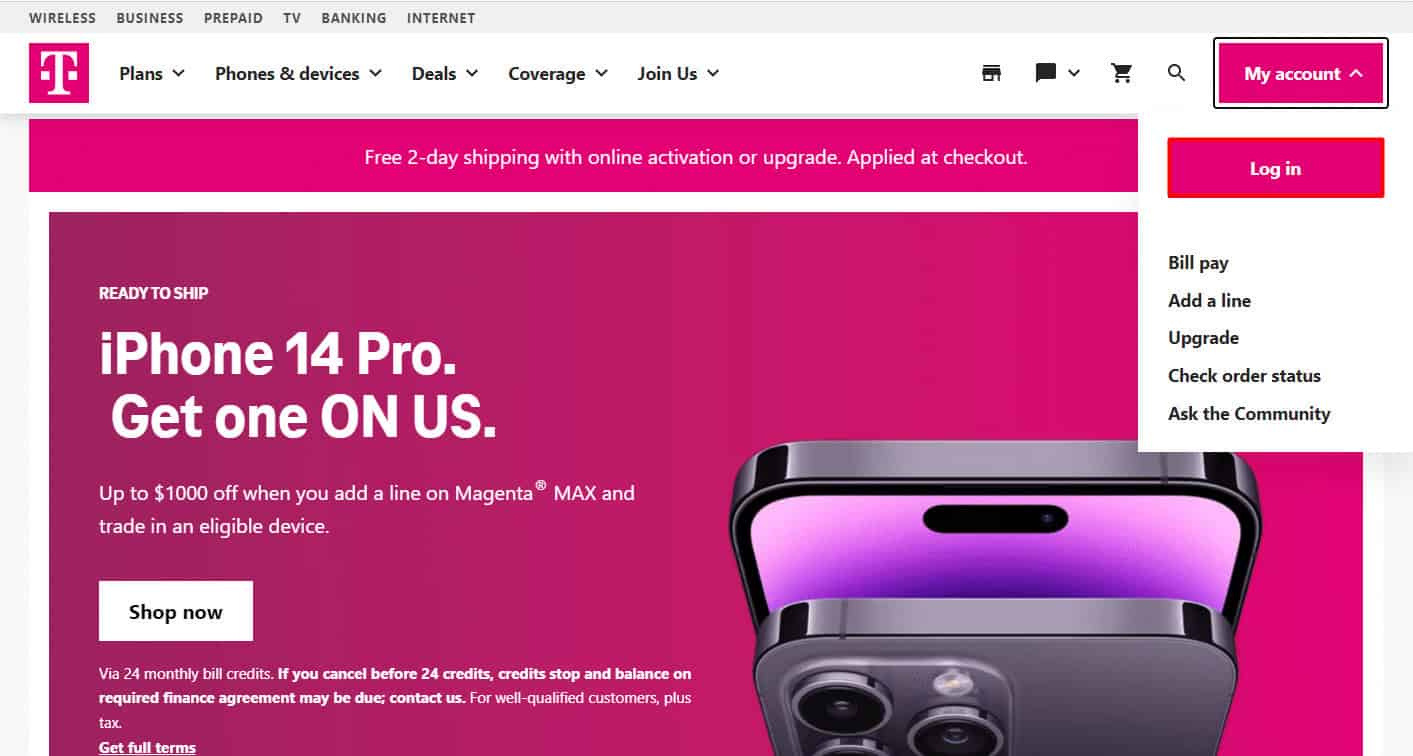
- Choose Log in and enter your credentials.
Then, click on My Sprint .
Now, select Profile & Security .
After that, scroll down to Security Information .
Now update the PIN on the page, and then click Save .
Recommended:
- How to Uninstall Skype on Android
- What to Do If I Forgot My Verizon Email Password?
- What Happens If You Forgot Your Amazon Password?
