
- How to Cancel Amazon Prime Video
- Can You Cancel Prime Video Anytime?
- Is It Easy to Cancel Amazon Prime Video?
- How to Cancel Prime Video
- How Do I Cancel My Amazon Prime Video Account
- How to Cancel Prime Video Subscription
- How Do I Cancel Amazon Prime on the App?
- How to Cancel Amazon Prime on Phone
- Why is It So Hard to Cancel Prime Video?
- Can I Cancel Amazon Prime Video Channels?
- How to Cancel Prime Video Channels
- How to Cancel Prime Video Channels on App
Quick Answer Follow the below steps to cancel Amazon Prime: 1. Visit the Amazon website and Sign in to your account. 2. Click on Accounts & Lists > Your Prime Membership > Manage Membership . 3. Click on End membership from the drop-down menu. 4. Click on Cancel My Benefits under the Prime Video section. 5. Finally, click on Continue to Cancel.
Can You Cancel Prime Video Anytime?
How to Cancel Prime Video
- Click on Accounts & Lists > Your Prime Membership .

- Click on the Manage Membership tab from the top right corner, as shown below.

- Click on End membership from the drop-down menu.

- Click the Cancel My Benefits option under the Prime Video section, as highlighted.

- Finally, click on Continue to Cancel . Your Prime Video subscription will get canceled.

How to Cancel Prime Video Subscription
To cancel your Prime Video subscription, follow the steps mentioned above .
- Then, tap on the profile tab from the bottom bar.

- Tap on Your Account .

- Tap on Manage Prime membership .

Tap on the Manage membership drop-down menu option.
Then, tap on Manage Membership .
Tap on the End membership option.

Why is It So Hard to Cancel Prime Video?
Let’s see some of the reasons why it is hard for you to cancel Prime Video:
- In some cases, the end membership option might not be provided.
- If you just used one payment method and turned off auto-renewal, you won’t be able to access the terminate membership button.
- In a similar vein, canceling auto-renewal instead of ending membership is another possibility.
- When you disable auto-renewal, payments stop and your Prime Video subscription will be automatically canceled after the billing cycle.
- If the plan is controlled by a third-party service, such as a cellular data provider, you cannot simply cancel it. Please get in touch with the third-party company’s customer support if you want to cancel such a plan.
How to Cancel Prime Video Channels
Here’s how to cancel Prime Video channels on the Prime Video website:
- Click on the Profile from the top right corner, as shown below.

- Then, click on the Account & Settings option.

- Click on the Channels tab, as shown.
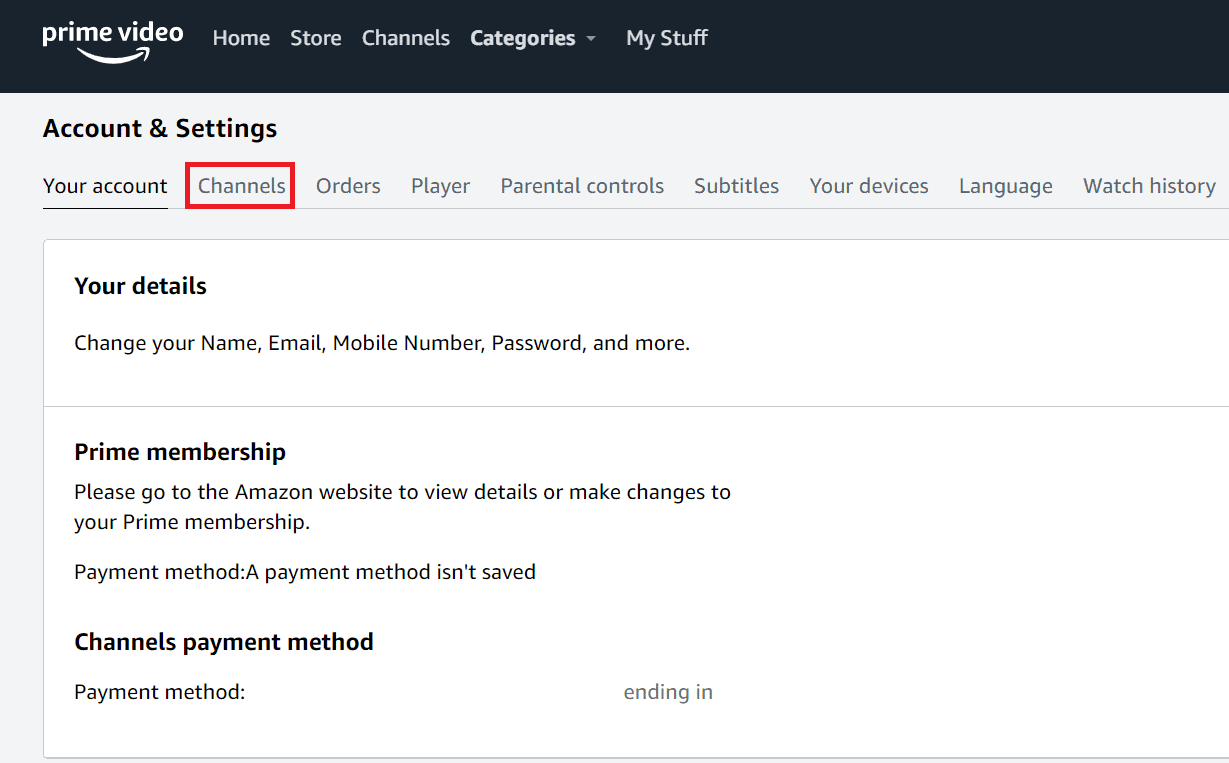
- Click on the Cancel Channel option next to the channel you want to cancel.

Confirm the following prompt by clicking on the Cancel Channel option.
Follow the onscreen instructions to cancel the channels.
How to Cancel Prime Video Channels on App
Let’s see the steps to cancel Prime Video channels on the app.
- Tap on the Profile icon from the top right corner.

- Then, tap on the Settings gear icon .

- Tap on Manage your Prime Video Channels .

Locate and tap on the desired channel you want to cancel.
Tap on the Cancel Channel option.
If you are given the option to accept a self-service refund, your cancellation will go into effect right away. Otherwise, the confirmation screen shows the expiration date of your subscription. Please contact customer care if a self-service refund is not provided and you wish to cancel immediately.
Recommended :
- AMD CPUs Guide: Top 10 Best Ryzen Processors
- How to Cancel Macy’s Credit Card
- How to Cancel Sling TV Through Amazon
- How to Cancel My Netflix Account
