Roblox is a common place for streamers and players. Whether you play for pastime or competitively, you know how important it is to keep up with other users. This is why having an active voice chat is the need of the hour. If you have been facing some trouble with it, you might lose out on real-time gaming. Don’t worry, today we will show you how to enable your voice chat in Roblox and have uninterrupted gaming!
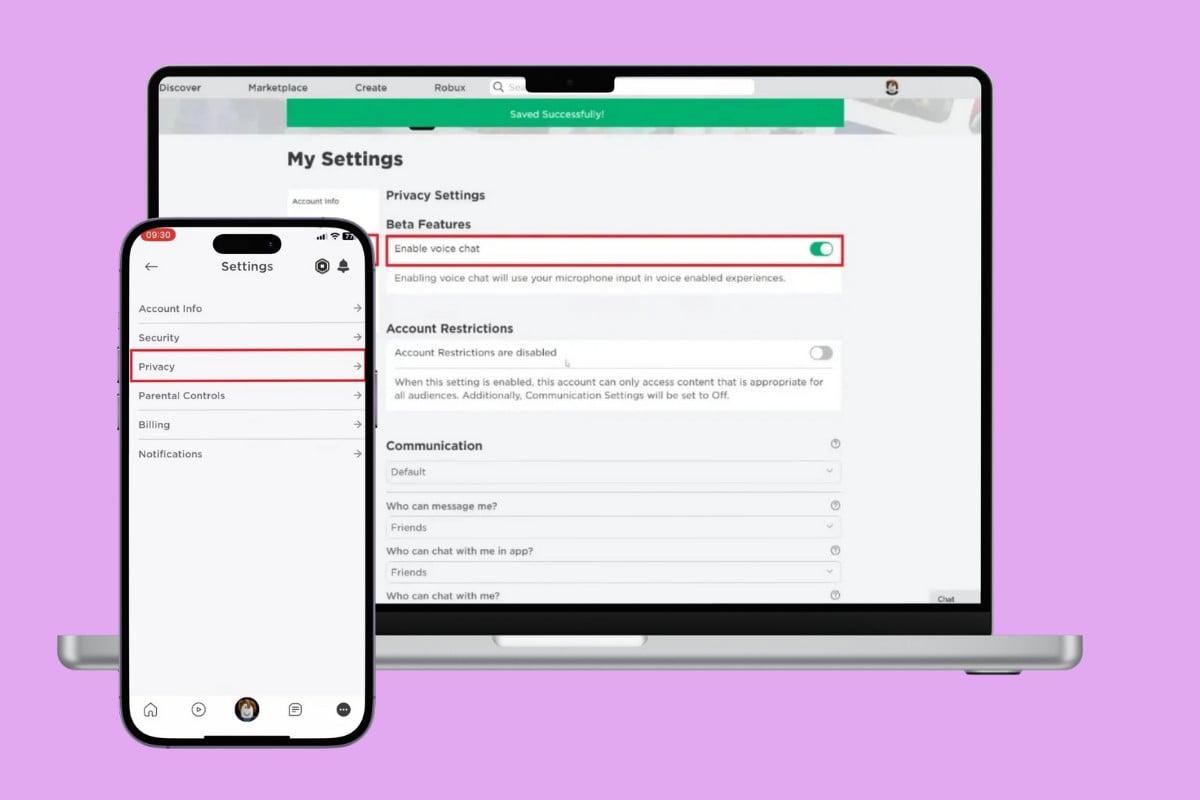
- How to Enable Voice Chat in Roblox
- Method 1: Via Desktop
- Method 2: Via Mobile
How to Enable Voice Chat in Roblox
Stay tuned to find out your way into getting the voice chat.
Method 1: Via Desktop
Check out the steps to do the same from the web version of Roblox:
- Log in to the Roblox App and click on the settings icon at the top right corner.
- Click on Account info from the left menu.
- Click on Verify My Age under Birthday and follow the on-screen instructions. Please note that you have to be past the age of 13 to get the voice chat feature.
- Then, click on Privacy .
- Now, turn the toggle on for Enable voice chat .
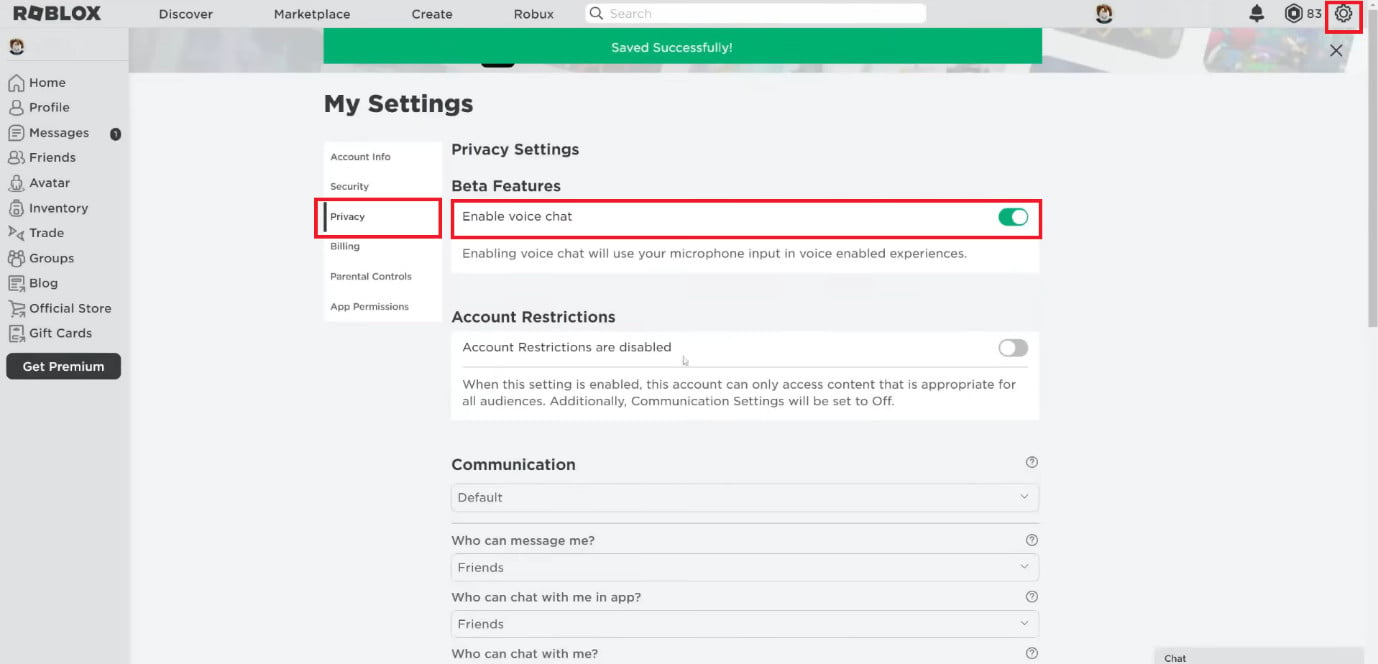
You can enjoy the voice chat feature.
Method 2: Via Mobile
Similarly, you can do so from the Roblox app:
- Open Roblox and tap on click on the hamburger icon at the bottom right corner.
- Tap on Settings .
- Select Account info .
- Tap on Verify My Age under Birthday and follow the on-screen instructions.
- Then, select Privacy .
- Now, turn the toggle on for Enable voice chat .
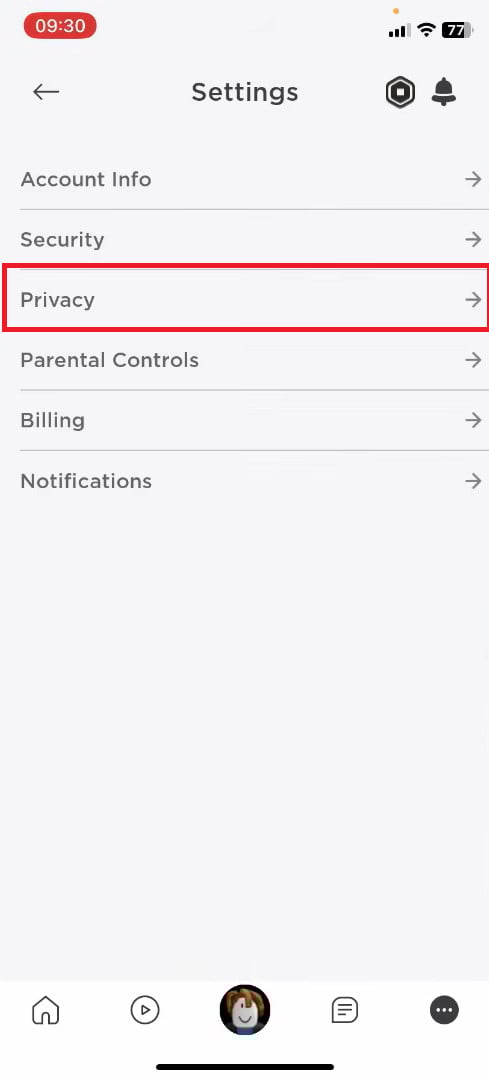
Roblox’s voice feature will be successfully enabled.
