- How to Fix Instagram Comments Not Working
- Method 1: Remove Instagram from Background Apps
- Method 2: Log Out and Log Back into Your Instagram Account
- Method 3: Sign up for Instagram Beta/Lite
- Method 4: Disable Data Saver
- Method 5: Clear Instagram Cache
You can try several solutions and check what works out best for you.
Method 1: Remove Instagram from Background Apps
Method 2: Log Out and Log Back into Your Instagram Account
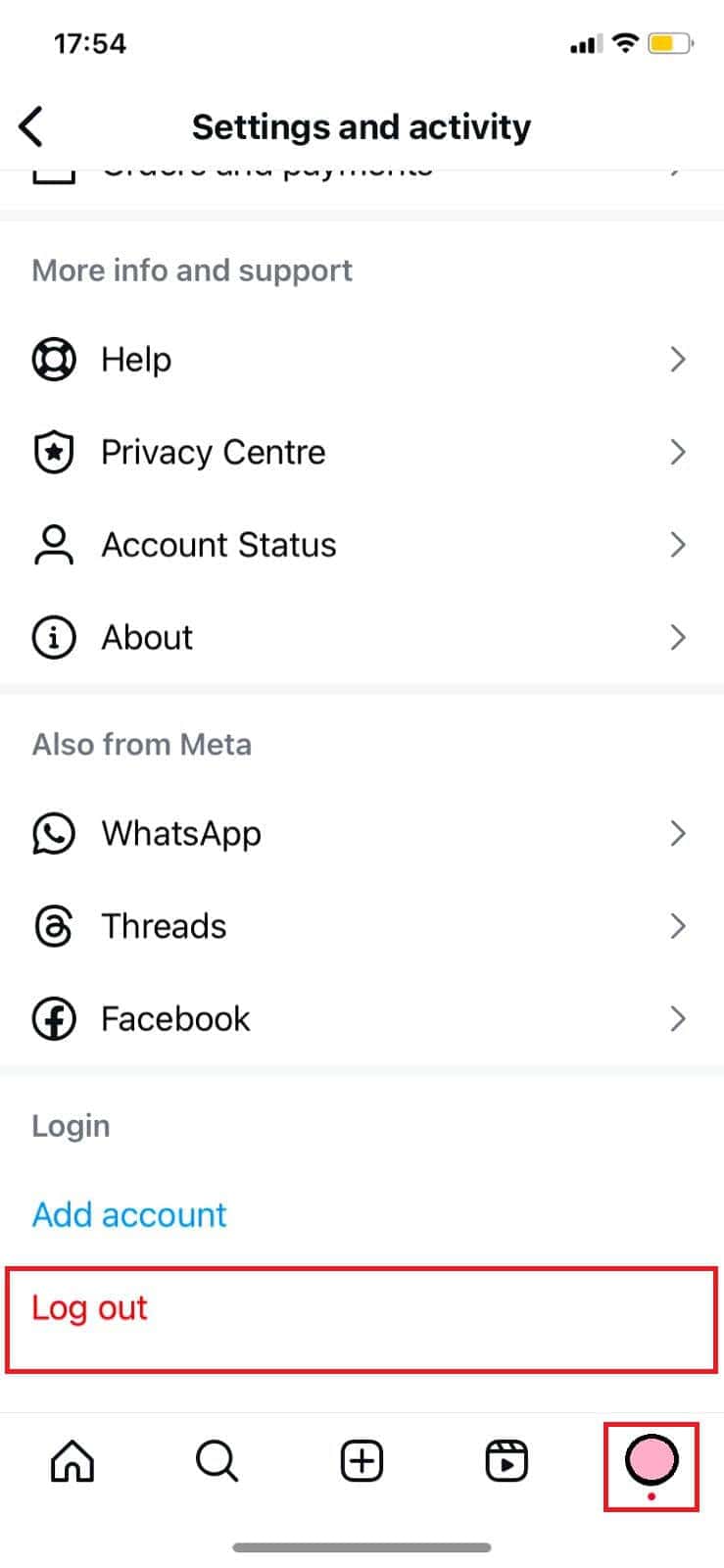
- Open Instagram and tap on the profile icon at the bottom right ribbon.
- Tap on the hamburger icon in the top right corner.
- Select Settings and privacy .
- Swipe down and tap on Log out under Login .
- Then, type in your credentials and log in .
Android users also have the option to use the Instagram Beta or Lite app. Since the platform is lightweight, saves data, and works with fewer features, you may face fewer glitches. You can get it from the Google Play Store .
Method 4: Disable Data Saver
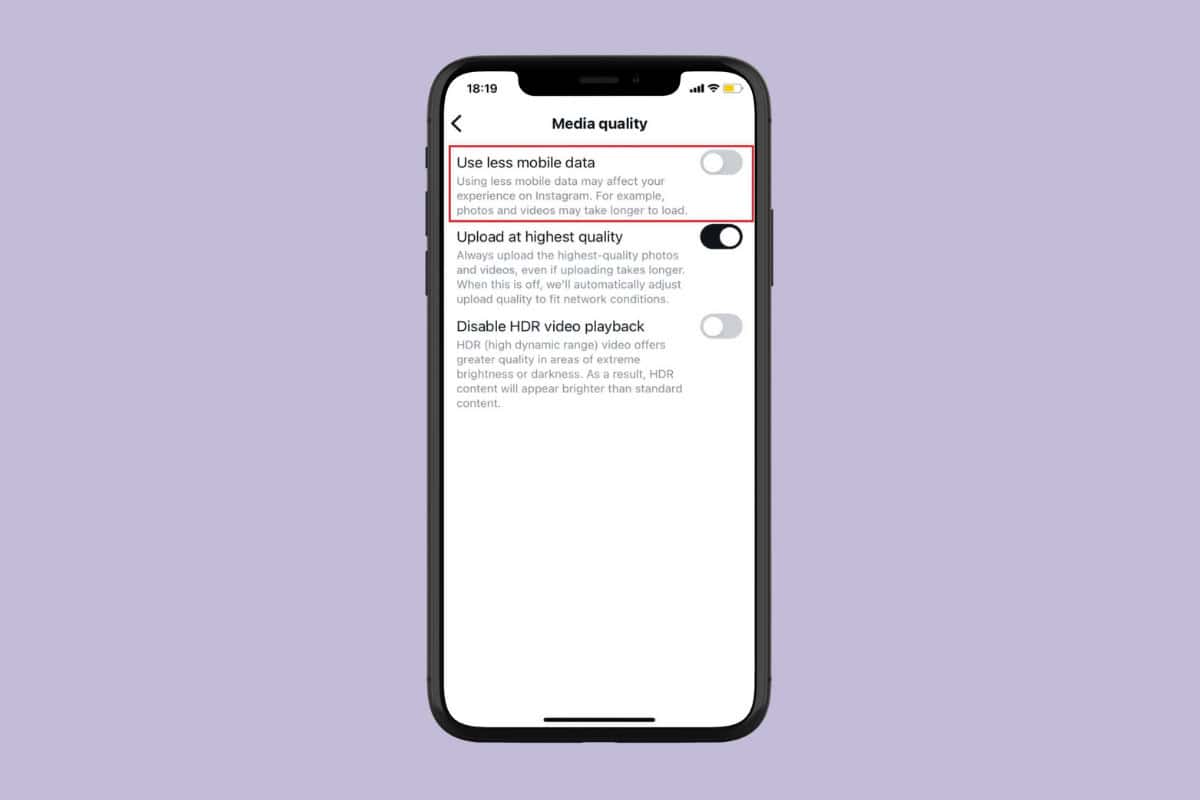
- Open Instagram > profile > hamburger icon.
- Tap on Settings and privacy .
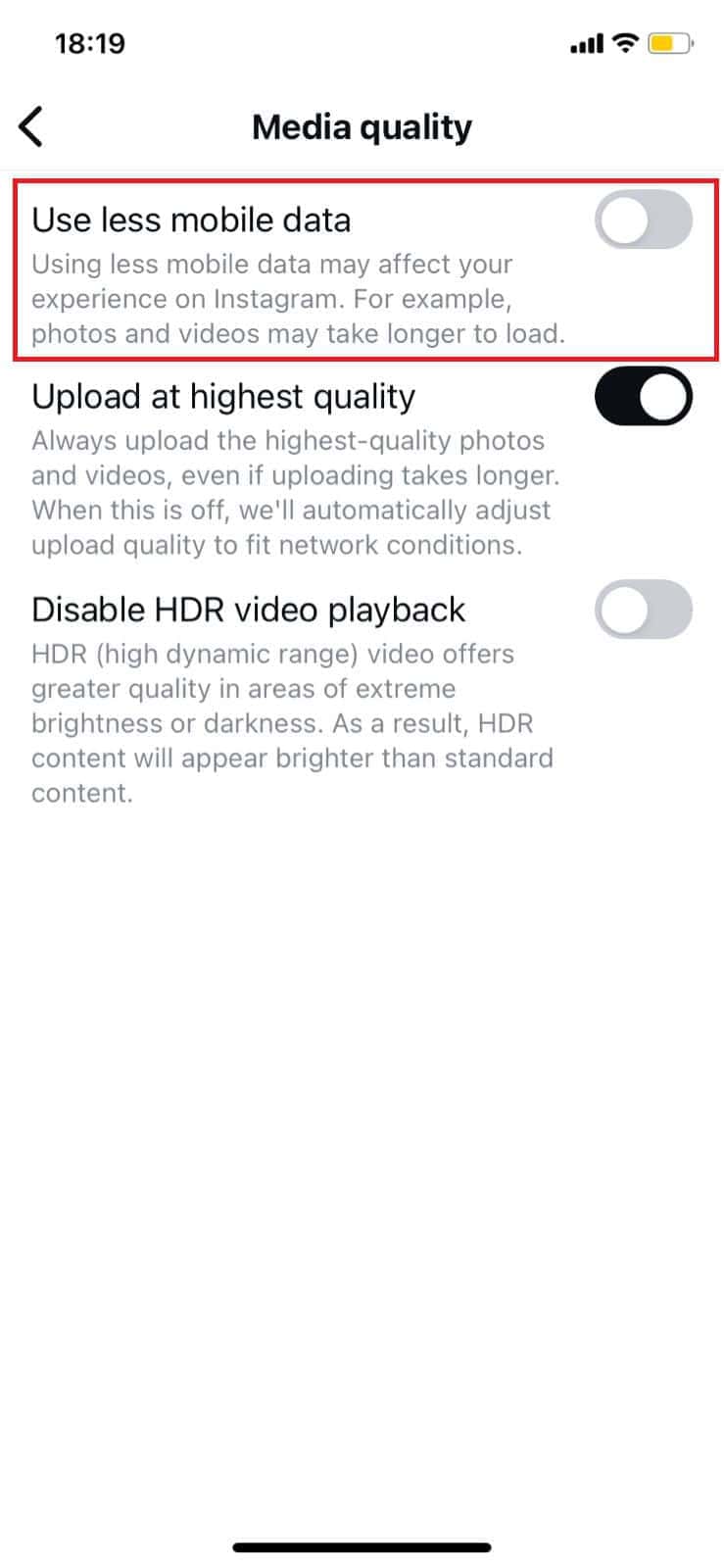
- Swipe down and tap on Media quality under Your app and media .
- Then, turn the toggle off for Use less mobile data .
Method 5: Clear Instagram Cache
Option 1: From iPhone
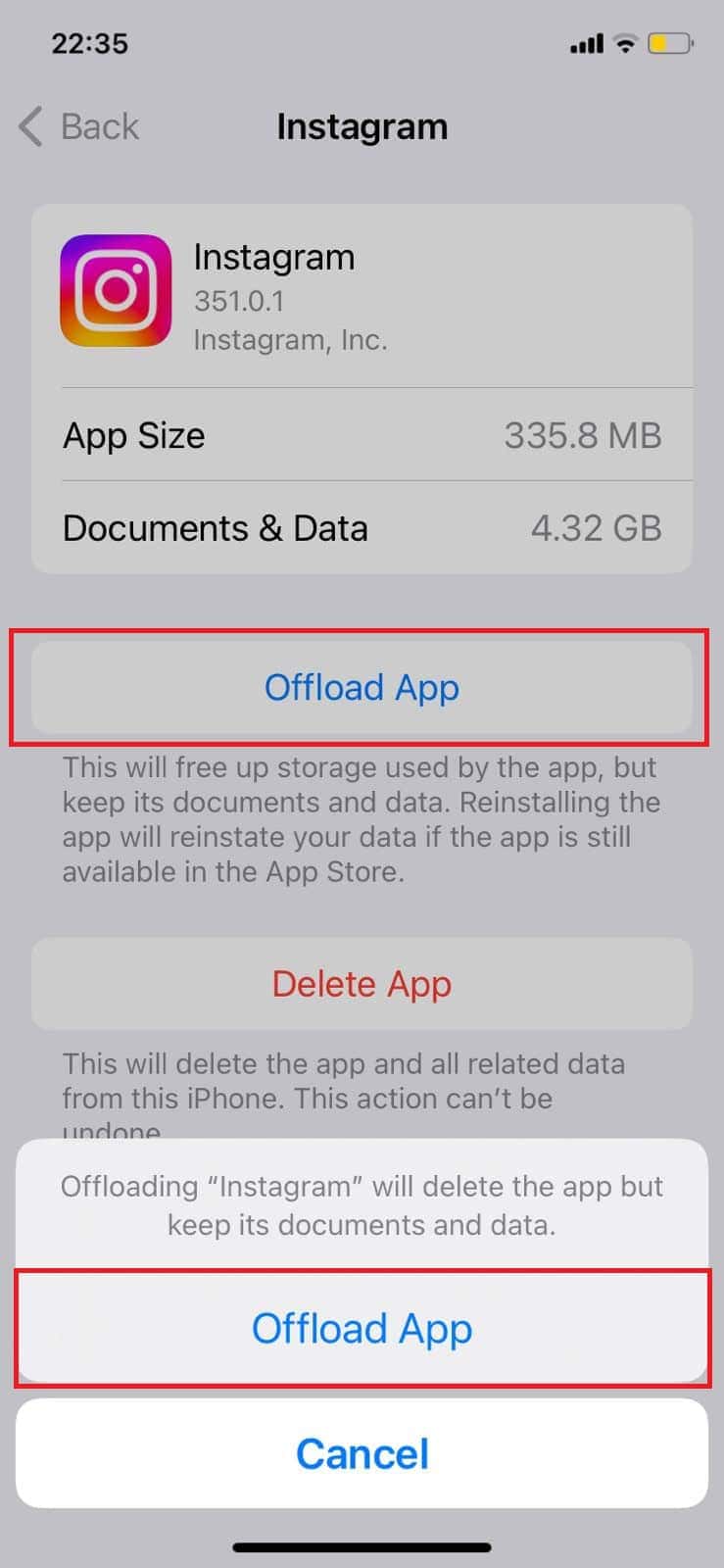
Here’s how you can offload Instagram on iOS devices:
- Open Settings and tap on General .
- Swipe down and tap on iPhone Storage .
- Swipe down and select Instagram .
- Then, tap on Offload App .
- Select Offload App from the confirmation prompt.
- Open App Store and search for Instagram .
- Tap on Get to install the app again.
Use Instagram again to check if your issue is resolved.
Option 2: From Android
Similarly, you can do the same from your Android smartphone. Let’s see how:
Note: Not all Android devices have the same interface since they vary from manufacturer to manufacturer. Hence, ensure the correct settings have been selected according to your device’s language.
- Open Settings and tap on App Settings .
- Select Apps .
- Swipe down and select Instagram .
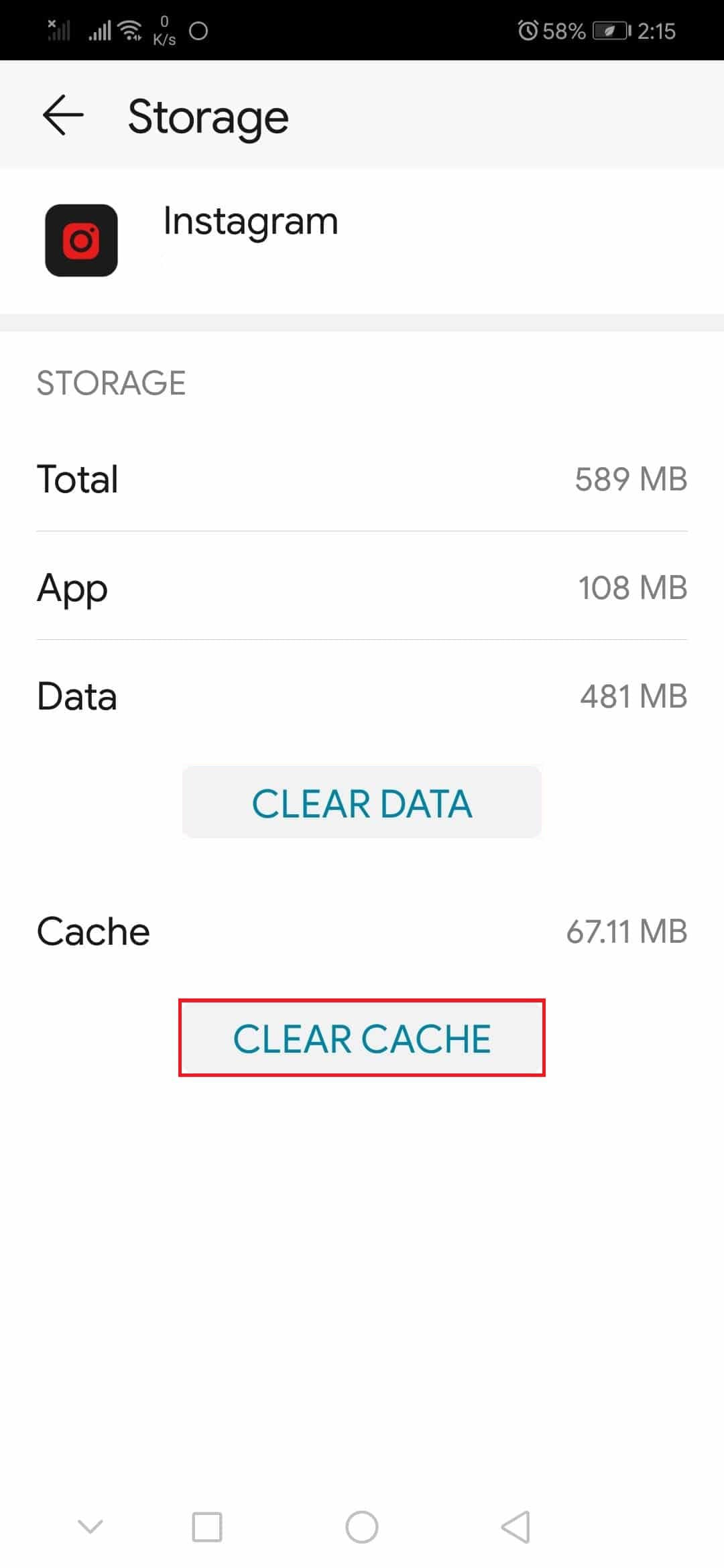
- Tap on Storage .
- Now, tap on the Clear cache .
- Select Clear cache from the confirmation prompt.
Now your problem should be resolved.
