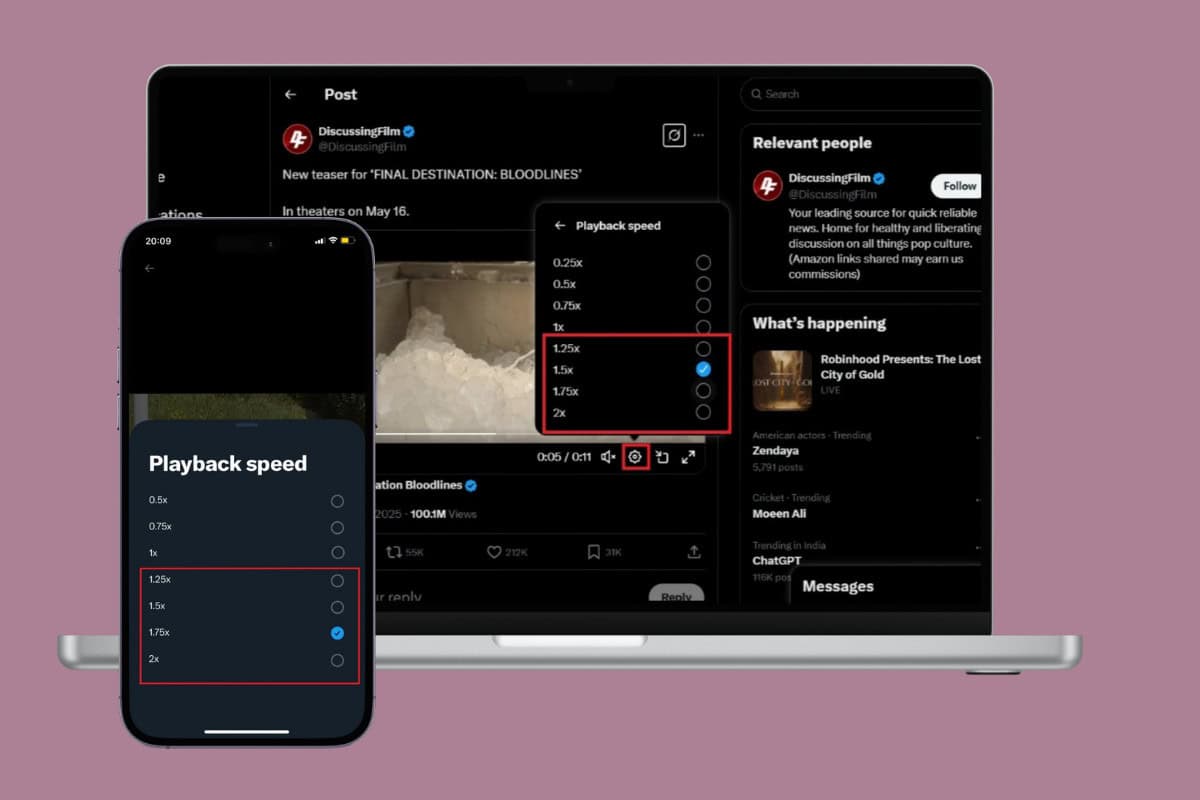
Twitter has evolved into a hub of videos ranging from news clips to viral moments. While the platform lets you consume content quickly, you might want to speed up long videos even more. If you’re looking for how to increase the playback speed of video on Twitter, the process isn’t as complicated as it seems. Let’s get you watching at your preferred tempo.
- How to Increase Playback Speed of Video on Twitter
- Method 1: Via Mobile
- Method 2: Via Desktop
How to Increase Playback Speed of Video on Twitter
Now you can save time on long clips and control playback rates on both mobile and desktop versions of Twitter.
Method 1: Via Mobile
Follow the steps mentioned below to do the same from your smartphone:
- Open Twitter/X and tap on the video of your choice.
- Select the clip and tap on the settings icon at the bottom ribbon.
- Tap on Playback speed .
- Now, select the speed of your choice after 1x.

The video will play according to your desired speed.
Method 2: Via Desktop
Similarly, users can also do so from the web version of Twitter. Here’s how:
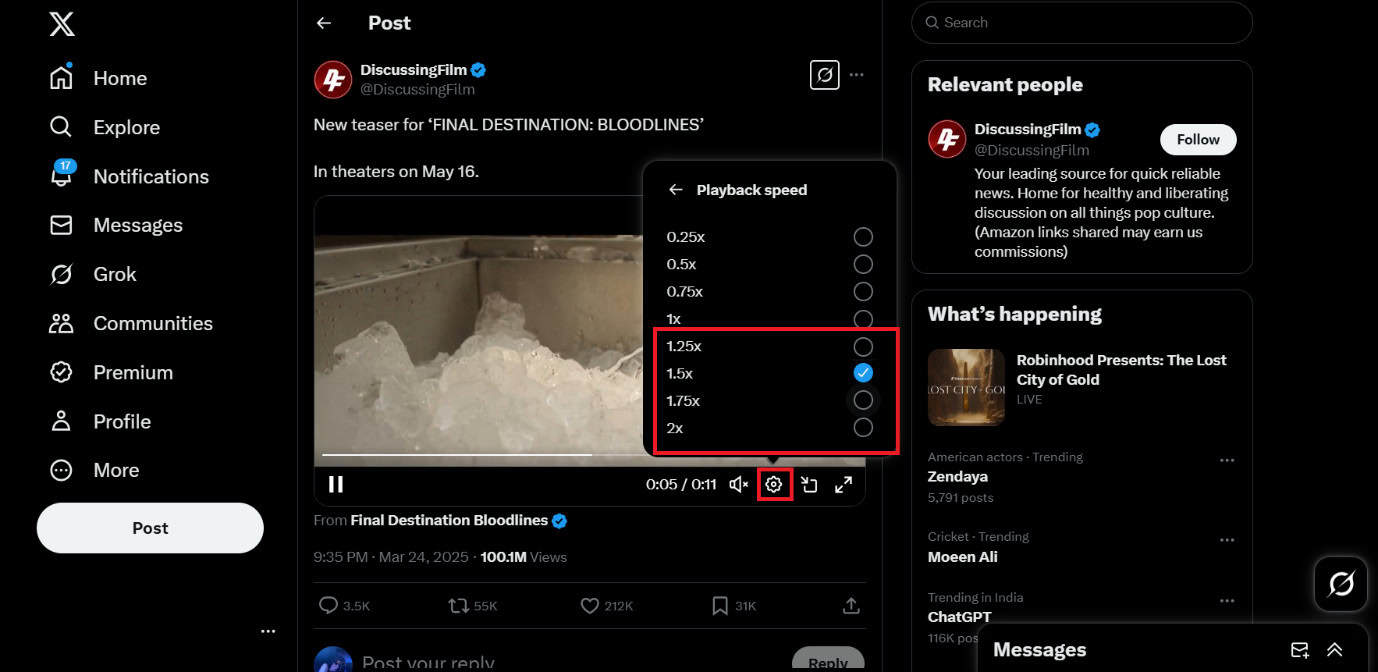
- Log in to Twitter/X and click on the video of your choice.
- Select the clip and click on the settings icon at the bottom ribbon.
- Click on Playback speed .
- Now, tick on the speed of your choice after 1x.
That’s it, you can enjoy sped-up playback on any video clip.
