AOL Mail is a popular email service used by millions of people across the world. AOL.com mail, like most other email providers, has its own account login page. You almost probably have an AOL email account if you used the Internet in the 1990s. If you are having trouble with how to login to AOL Mail, double-check that you’re doing it correctly. If you are still facing the issue, this article will help you to sign in to AOL email account.

- How to Login to AOL Mail in Windows 10
- Step I: Create AOL Email Account
- Step II: Login to AOL
- Step III: Stay Signed In
- Step IV: Change Account Password
- Step V: Logout AOL
- Step VI: Examine Login Page URL
How to Login to AOL Mail in Windows 10
This article is for people who aren’t particularly computer savvy and require step-by-step guidance on how to sign in to AOL email account effectively and safely using the AOL login page. So, whether you’re looking to create a new AOL account or need assistance getting into one you currently have, here are some best practices to follow.
Step I: Create AOL Email Account
Creating an AOL Email account is as easy as it gets. Here’s how to register for an AOL account.
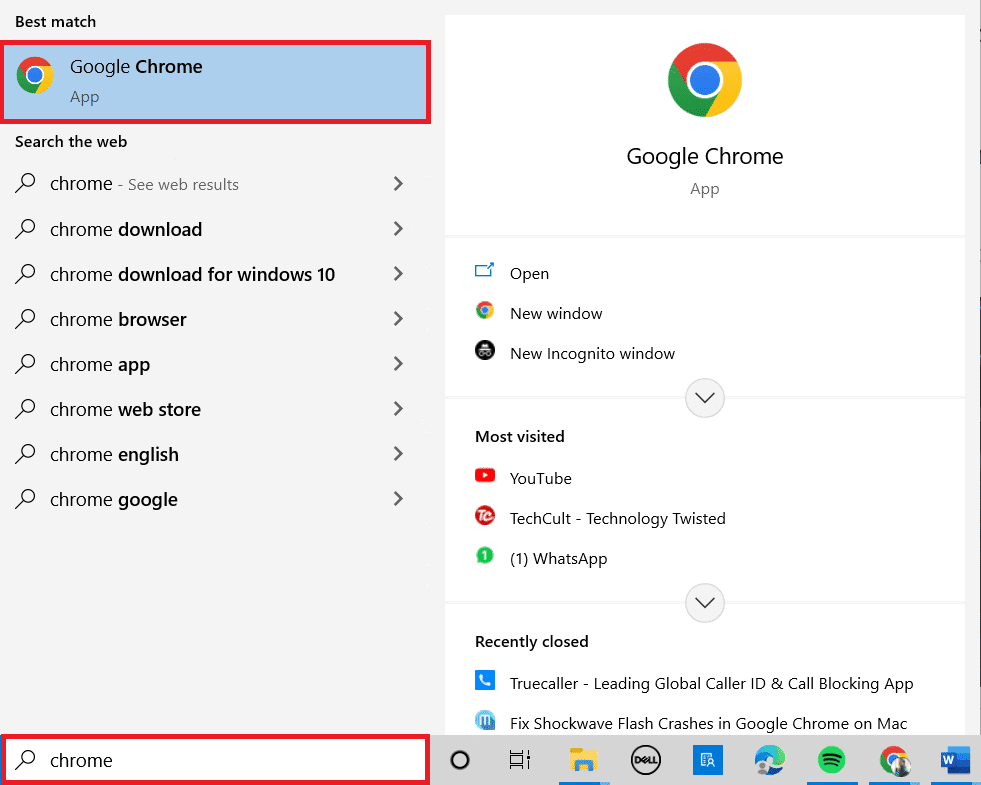
- Press the Windows key . Type Google Chrome and launch it.
Note: You can use other browsers also. Here, Google Chrome is chosen.
- Go to Aol official site and create a new AOL account .

- Click on the Login/Join option at the top right corner of the screen.

- Click on the Create a new account option to create a new account.

- Fill out some basic information such as your name , AOL email address , and password you want, and click on Continue .
Note: You must provide a valid phone number, or you will receive an error message. This will be utilized in the future.

- Click on the Yes, send me a code button.

- Now, enter the code sent to your mobile number and click on Verify .

- Click on Done .

You may now send emails to all your friends and family from your @aol.com email address.
Step II: Login to AOL
Read on if you skipped the first part of this tutorial because you already have an AOL account but forgot how to log in. Here’s a step-by-step instruction on how to login to AOL mail account inbox screen correctly.
Launch Google Chrome as done earlier.
Visit the AOL login page .

- Enter your AOL email address in the login box and click on Next .

- Enter your password on the following page, then click on Next .

- You will be routed to the AOL site , which has all the latest news and headlines if you input the right login credentials.

- To access your AOL Mail email inbox, click on the email symbol at the top right corner of the AOL main screen.

- In the left pane, select Inbox .

Your AOL Mail inbox page , which contains all of your emails, will appear.
Step III: Stay Signed In
If you use a public computer to access your AOL email account and then close AOL Mail. Even if you fail to log out properly, your AOL account will be automatically logged in the next time that machine visits AOL.com . Remember that you should only utilize the stay signed in option on a computer you trust when logging into your AOL Mail account. This will make you stay sign in to AOL email account.

Step IV: Change Account Password
If you’ve forgotten your AOL email account password, you may restore it by following the steps below:
- Click on the Forgot username option from the AOL Mail login page.

- After clicking the link, enter your AOL email address or phone number and click on Continue .

- Click on Yes, send me a code .

- Enter the verification code that is delivered to the phone number. Click on Verify .

- Now, click on the account for which the password must be changed.

- Enter the New password and click on Continue .

- Now, click on Continue to successfully change the password and log in to the account.

Step V: Logout AOL
Follow the steps below to log out of your AOL Mail email account:
- Click on the Logout option next to your AOL Mail login at the top right corner.

- Click on Yes, sign me out .

Step VI: Examine Login Page URL
If you try to check in on a fraudulent website that pretends to be the legitimate AOL Mail login page, they will try to steal your login credentials. Several reports have been of consumers attempting to get into AOL Mail using a malicious link on a bogus website.
Consequently, double-check that you’re on the right AOL Mail login page, using the correct URL. As a result, double-check that the URL is from AOL.com or login.aol.com .
It’s always good to go to the AOL.com Mail login page by typing AOL.com into your browser.
Q1. Are there any AOL accounts left?
Q2. Is it possible to acquire an AOL email account for free?
Ans: If you already have an Internet connection and don’t utilize AOL dial-up, you may still use AOL software, email, and other services for free. Your AOL login and email account, available via mail.aol.com , are both free AOL services.
Recommended:
- How to Mute an App on Windows 10
- How to Setup CouchPotato on Windows 10
- Fix Yahoo Mail Error 0x8019019a
- Top 30 Best Free Mass Email Service Providers
