Roblox has become more than just a gaming platform, but also a place where you can use your creativity to make games. If you’ve made a game and want to offer players special perks or access to exclusive content, learning how to make a Games Pass in Roblox is a great next step. If you have a hard time figuring that out, then let’s show you the way out!
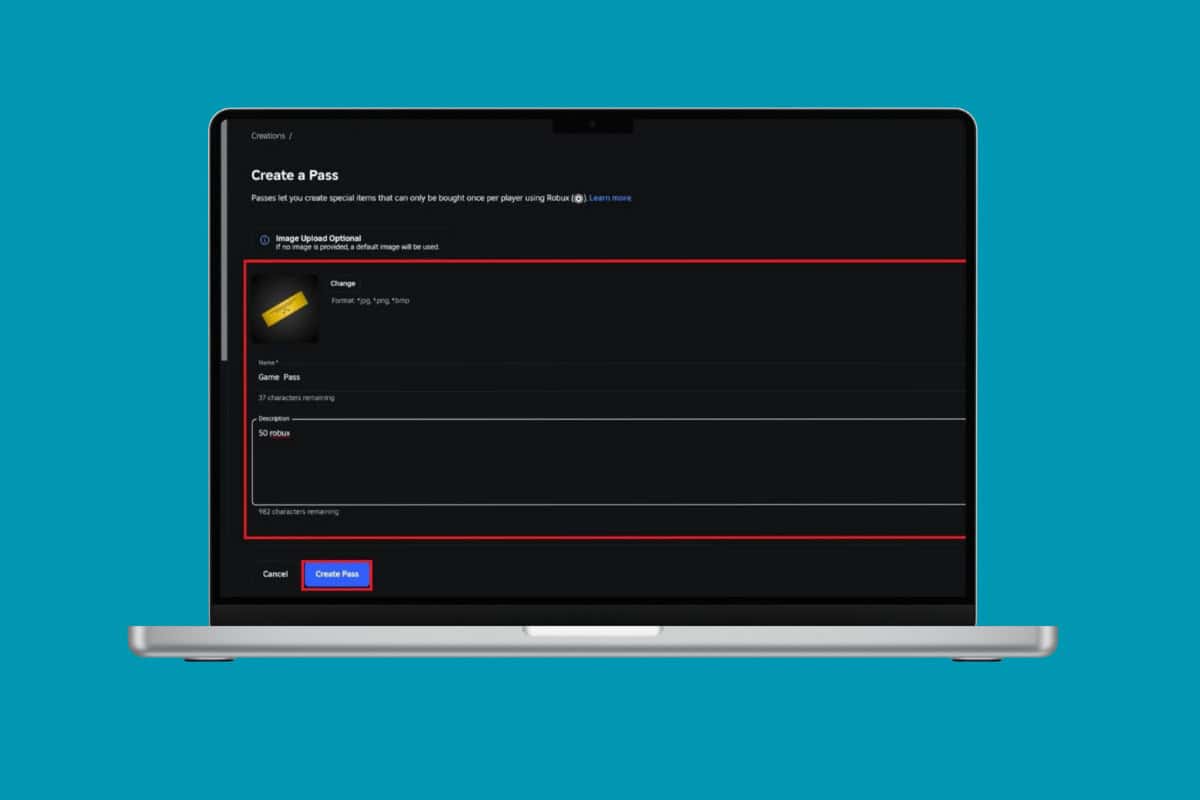
- How to Make a Games Pass in Roblox
- How to Sell a Game Pass on Roblox
- How Much Robux Can I Earn from a Game Pass?
- Do I Need Premium to Create a Game Pass?
How to Make a Games Pass in Roblox
Game Passes let you reward players, monetize your creations, and build a loyal community around your experience. Here’s how you can add value to any game.
- Log in to your Roblox account and click on More from the left menu.
- Click on Create .
- Select Home from the left menu.
- Hover over the game of your choice under Experiences .
- Select Manage experience .
- Click on Passes under Monetization .
- Now, click on Create A Pass .
- Add an image and type in Name and Description .
- Now, select Save Changes .
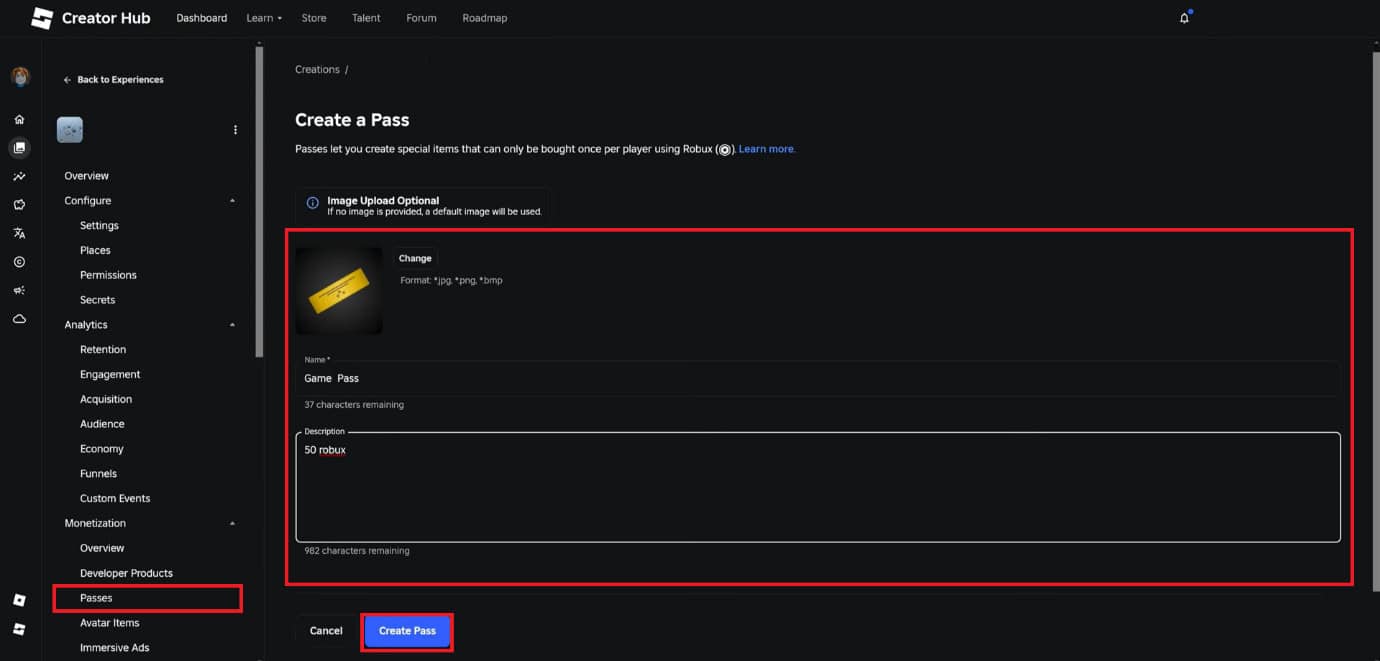
Your pass will be successfully created.
How to Sell a Game Pass on Roblox
Now that you have created a pass, you can also add a value to it and sell it on Roblox:
- Follow steps 1-9 from the previous heading How to Make a Game Pass in Roblox .
- Then, click on Basic Settings from the left menu and select Sale .
- Turn the toggle on for Item for Sale .
- Enter a price under Price in Robux .
- Now, select Save Changes .
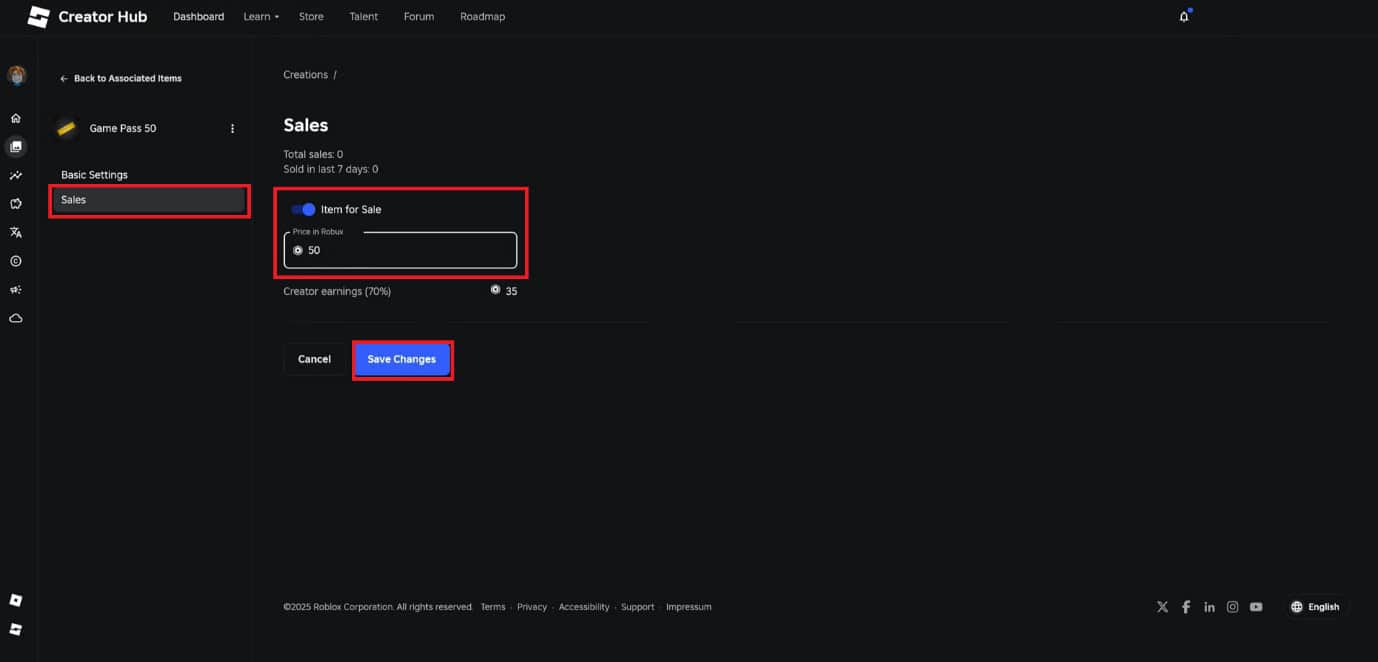
That’s it, your pass will be up for sale.
How Much Robux Can I Earn from a Game Pass?
Roblox gives developers 70% of the sale price, and the rest goes to platform fees.
Do I Need Premium to Create a Game Pass?
No , but you do need a Roblox account and a game uploaded to your profile to create and sell Game Passes.
