Instagram is a free application for iPhone and Android that enables picture and video sharing. With the help of the platform, users may post and share photos or videos with their friends or followers. They could also see the Instagram photos that their friends have uploaded, comment on them, and like them. An account may be created by anybody who is 13 years old or older by giving an email address and selecting a username. Instagram is primarily designed for mobile devices, but the initially very limited desktop experience has gradually improved over time. Today, you can use your computer’s web browser to visit Instagram and utilize it to edit your profile, view your feed, like and comment on posts, as well as send and receive direct messages. Similar to Incognito Mode on a web browser, Instagram’s Vanish mode deletes all chat backups and history when a conversation has ended. When this mode is switched off, the conversations that were had while it was active are instantly destroyed and are not visible in ordinary chat. If you are someone looking for tips about the same, we bring you a helpful guide that will teach you what is Vanish Mode on Instagram and how to use Vanish Mode. Also, you will learn how to turn on vanish mode on and take screenshot in Vanish Mode.
- What is Vanish Mode on Instagram?
- What is Vanish Mode on Instagram?
- Does Vanish Mode Delete Messages on Both Sides?
- Can Vanish Mode Messages be Recovered?
- Why Would Someone Turn On Vanish Mode on Instagram?
- How Long Does Vanish Mode on Instagram Last?
- How Do You Know If Someone is On Vanish on Instagram?
- How to Take Screenshot in Vanish Mode on Instagram?
- How to Use Vanish Mode on Instagram?
- How to Turn On Vanish Mode in Instagram Android?
- How Can I See My Vanished Messages on Instagram?
What is Vanish Mode on Instagram?
Mike Krieger and Kevin Systrom came up with the idea in 2010. Later, the business was acquired by Facebook Inc.; it is now known as Meta Platforms. Instagram is a social networking site where users may upload and share pictures and videos. The software allows users to upload media assets that can then be edited with filters and organized using hashtags and location-based tags. Posts can be shared either publicly or just with followers who have been allowed access. The options available to users include exploring other people’s material by tag and location, looking at trending content, like photographs, and following persons to add their material to a personal feed.
What is Vanish Mode on Instagram?
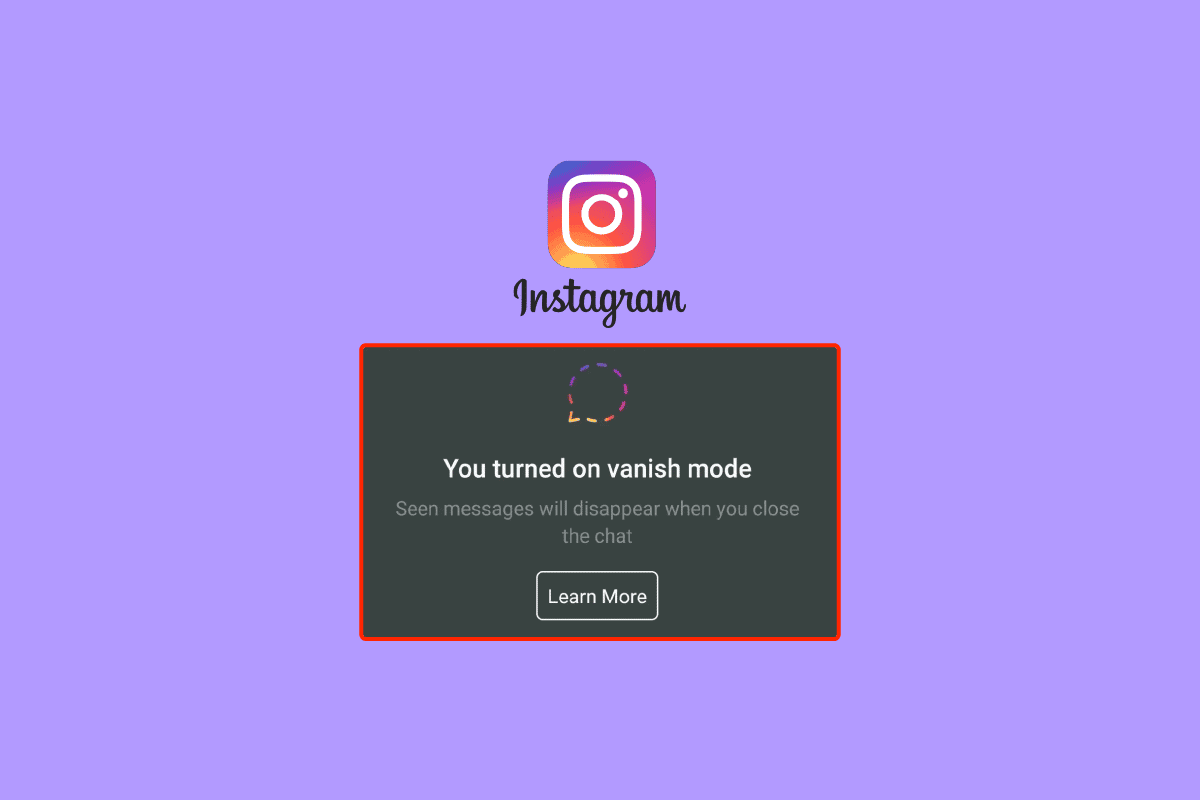
Vanish Mode is a feature that Facebook has added to Instagram and Messenger that enables end-to-end encryption for conversations that vanish when you leave the chat . After being viewed and after you leave the conversation, all of the messages, videos, images, and other content that you have sent while the mode is activated will immediately disappear.
Does Vanish Mode Delete Messages on Both Sides?
Yes , the Vanish Mode deletes messages on both sides . Texts, pictures, videos, and posts from both sides’ inboxes are erased after the other person has seen them when a user’s Vanish option is turned on.
Can Vanish Mode Messages be Recovered?
No , the Vanish Mode messages cannot be recovered. When using this mode, messages disappear after being read or when the chat window is closed. They cannot be recovered. However, one may always copy and paste the messages or take a screenshot of the chat.
Why Would Someone Turn On Vanish Mode on Instagram?
Someone can turn on the vanish mode on Instagram for a lot of reasons. Turning on Vanish Mode on Instagram can be beneficial.
Here are some of the benefits of the Vanish Mode:
- Privacy : Privacy concerns are the main reason for using the vanishing messages feature. If you worry that someone could go through your chat logs and view your communications, it can be helpful. Additionally, by not storing your chat history, there is less chance that cybercriminals or other outside parties will be able to tune in on your private communications in the event of a data breach.
- Simple Navigation : You may keep chat decorum by using this mode. If the software periodically deletes your logs, your logs won’t become crowded. Furthermore, navigating them will be simpler.
- Saving Space : When you have too many messages on Instagram, it might slow down the program or even the OS because messages in some apps take up storage space.
- For the Sake of Safety : If you don’t trust the person you interact with and worry that they could use your messages against you, you might consider using a method that makes messages disappear. A Vanishing tool from Instagram that allows you to erase both parties’ conversation logs can be used in this situation.
Also Read : Why Did Your Instagram Drafts Disappear?
How Long Does Vanish Mode on Instagram Last?
Vanish Mode on Instagram will last until one of the users, between whom the conversation is taking place, swipes up the chat and disables the Vanish Mode . As soon as the chat is exited, the text will be deleted but the mode will still be on until it is manually switched off.
How Do You Know If Someone is On Vanish on Instagram?
A few Shush emojis will fall from the top of the user’s screen to indicate that they are in Vanish Mode. After the this mode is activated, Instagram will go to dark mode . A screen notification notifying their chat partner that they are in Vanish Mode throughout the conversation is also displayed.
How to Take Screenshot in Vanish Mode on Instagram?
Now, that you know about Vanish Mode, let us know how to take screenshot in Vanish Mode. You can take a screenshot of the chats in Vanish Mode like you normally do on your device. But the person with whom you are having a conversation will be notified about it. If you want to take a screenshot without the other person knowing, there are a number of ways to do so.
Option I: Record from Another Phone
You have to click or record the content on your Instagram using another mobile. It simply means pointing a camera at your smartphone’s screen and recording whatever is visible. Although you won’t get the best result, this is a reasonable approach if all you want is a record of the replies you have gotten quickly and you have access to another phone. However, if you want clear screenshots with more visibility, you can try any of the methods listed below.
Option II: Turn On Airplane Mode
Let’s see how you can turn on Airplane mode and take a screenshot without notifying that person.
Note : You should be already logged into your Instagram account to perform the following steps.
- Open the Instagram app on your Android or iOS device.

Navigate to the desired chat which has enabled the Vanish Mode.
Open the chat .
Now, bring down the quick settings panel and tap on the Aeroplane mode to turn it on.

Navigate to the desired timestamp and take a screenshot .
After 30 or 60 seconds, turn off Aeroplane mode and connect your phone to an internet connection.
Also Read : How to Remove Scribbles on a Screenshot iPhone
How to Use Vanish Mode on Instagram?
Now, that you know about Vanish Mode on Instagram, let us know how to use Vanish Mode. Here is how to use this mode on Instagram:
Open Instagram on your mobile phone.
From the top right corner of the feed, tap on the Messenger icon .

Tap on the desired chat .
Swipe up in your chat window to activate Vanish Mode .

- After Vanish Mode is turned on, you can normally send texts, pictures, videos, and posts .
Note : These texts, pictures, videos, and posts will disappear after the recipient opens and closes the chat.
- You can swipe up in your conversation to end Vanish Mode .
Note : If someone sends you a message in this mode on Instagram, you’ll receive a notification. To start a chat with them in this mode, tap the notification.
How to Turn On Vanish Mode in Instagram Android?
The Vanish Mode must be explicitly enabled in order to be used because it is deactivated by default on Instagram. Here’s how to activate this mode on Instagram for Android.
Method 1: By Swiping Up
Launch the Instagram app on your Android phone.
In the upper right corner of the screen, tap the Messanger icon .
To start a new Vanish Mode chat, tap on an existing one or use the Plus icon in the upper right.
This mode will get activated by swiping up from the bottom of the screen and then letting go.
Your screen will change from white to black , and a notification stating that you switched on the Vanish Mode will show up at the top.

Also Read : How to Block Someone on Messenger
Method 2: Via Details Section
Open the Instagram app.
Tap on the Messanger icon > desired chat > i icon .

- Turn on the toggle for Vanish Mode .

How Can I See My Vanished Messages on Instagram?
You cannot see vanished messages on Instagram after they have disappeared . Instagram allows you to report vanished messages till 14 days after it was sent, but you cannot view them once the recipient opens them.
Recommended :
- How to Factory Reset My Nextbook Laptop
- How to Delete Messenger Account
- How to Turn Off Seen on Instagram
- Does Instagram Notify When You Screenshot A Story?
Resetting your laptop, desktop, tablet, smartphone, or any other device is the best option when your system is facing errors or bugs, or you want to wipe out all the data on your device and start fresh. Resetting the device will surely remove all the data of your device and will reset all the device settings to default, so before resetting your device make sure you back up that data. Nextbook offers tablets and hybrid laptops to users, which are quite affordable. These devices have greater quality displays, larger RAM, faster and larger storage options, and better processors, depending on the price of the product. Managing your Nextbook devices is super simple because they run on Android and Windows, and you can find solutions on the internet easily. If your Nextbook ever got some errors, bugs, or viruses, or you want to do a fresh start on your Nextbook, this article will help you with that. It will guide you in steps on how to factory reset my Nextbook laptop and how to reset my Nextbook laptop. You will also learn how to restore my Nextbook to factory settings and how to unlock my Nextbook tablet if you have forgotten your password.

- How to Factory Reset My Nextbook Laptop
- How Old is the Nextbook Tablet?
- How Do You Unfreeze a Nextbook Tablet?
- How Do I Unlock My Nextbook Tablet If I Forgot the Password?
- How Do I Get to the Boot Menu on a Nextbook?
- How Do I Reset My Nextbook Laptop without the Password?
- How Do I Factory Reset My Nextbook?
- How Do I Reset My Nextbook Tablet to Factory Settings? How Do I Restore My Nextbook to Factory Settings?
- How Do I Reset My Nextbook Tablet NXW8QC16G?
- How Do I Reset My Nextbook 10? How Do I Factory Reset My Nextbook Windows 10?
- How Do I Factory Reset My Nextbook Ares 10A?
- How to Factory Reset Nextbook NXW10QC32G?
How to Factory Reset My Nextbook Laptop
How Old is the Nextbook Tablet?
E FUN brand makes the Nextbook devices that include both laptops and tablets. In 2010 , E FUN started making Nextbook tablets , and in 2011 , they launched their first Nextbook Next2 tablet , which was priced at less than $100. Nextbook tablets have been budget friendly since they first launched. All the tablets in the Nextbook Next series following next2, next3, next4, next5, and next6 come with a great quality larger and great quality displays with enough storage (16GB, 32GB, or 64 GB storage and 2GB, 3GB, 4GB, or 8GB RAM) and RAM and a great processor. All these specifications combined to make Nextbook tablets.
How Do You Unfreeze a Nextbook Tablet?
To unfreeze a Nextbook tablet you need to reset it and to do that just follow the steps given below:
Note : For Nextbook tablet with Android OS.
Press and hold the power + volume up + volume down buttons until your tablet boots into recovery settings.
Once you are in recovery settings, using the volume down button , select the RECOVERY MODE option and press the power button to enter.
After a while dead Android logo will appear, press the volume up + volume down + power buttons multiple times until you are in recovery mode.
Using the Volume down button , select the Wipe data/factory reset option and press the power button .

Using the Volume down button , select Yes — delete all user data and press the power button .
Wait for the tablet to reset and once it is done, you can select the Reboot system now and press the power button to restart your Nextbook tablet.
This is how do you unfreeze a Nextbook tablet by resetting it.
Also Read : How Can You Fix Nextbook Thermal Shutdown
How Do I Unlock My Nextbook Tablet If I Forgot the Password?
The only way to unlock my Nextbook tablet if I forgot the password is to reset it. You can follow the steps mentioned above to unlock your Nextbook tablet.
How Do I Get to the Boot Menu on a Nextbook?
To get to the boot menu on a Nextbook, just follow these steps;
Note : The steps performed are only for those that run on the Windows operating system.
Power on your Nextbook tablet or laptop .
Keep pressing the Del button on your keyboard until you enter the BIOS mode.
Select the Boot menu from the options available to go to the boot menu on a Nextbook.
This is how can you get to the boot menu on a Nextbook.
How Do I Reset My Nextbook Laptop without the Password?
To know how to reset my Nextbook laptop without the password, just follow the below-mentioned steps correctly:
Power off your Nextbook laptop.
Press and hold the Volume down and power buttons at the same time until the Windows logo loading appears on the screen.
It will automatically boot to the Windows recovery settings. Then, click on the Troubleshoot option.
Click on Reset your PC .
You will be prompted with what will happen after resetting. Read it and click on the Next button.
Click on the Fully clean the drive option.
Read the instructions and click on the Reset button.
The reset process will take some time. And once it has been done, you can use your Nextbook laptop.
This is how you can factory reset my Nextbook laptop without the password.
Also Read : Does the Ninja Air Fryer have a Reset Button?
How Do I Factory Reset My Nextbook?
To factory reset your Nextbook laptop or tablet, follow the steps mentioned above .
How Do I Reset My Nextbook Tablet to Factory Settings? How Do I Restore My Nextbook to Factory Settings?
To know how to restore my Nextbook to factory settings, just follow these steps:
Note : For Nextbook tablet with Android OS.
Press and hold the power + volume up + volume down buttons until your tablet boots into recovery settings.
Once you are in recovery settings, select the RECOVERY MODE option using the volume down button and press the power button to enter.
Then, press the volume up + volume down + power buttons multiple times until you are in recovery mode.
Select the Wipe data/factory reset option and press the power button using the Volume down button .
Using the Volume down button , select Yes — delete all user data and press the power button .

- Wait for the tablet to reset and once it is done, you can select the Reboot system now and press the power button to restart your Nextbook tablet.
This is how do I restore my Nextbook to factory settings.
How Do I Reset My Nextbook Tablet NXW8QC16G?
Nextbook tablet NXW8QC16G is a Windows tablet and to reset it, follow these steps:
Power off your Nextbook device.
Press and hold the Volume down and power buttons at the same time until the Windows loading appears on the screen.
Then, click on the Troubleshoot option.
Click on Reset your PC > Next .
Click on the Fully clean the drive option.
Read the instructions and click on the Reset option.
After the reset process completes, you will get a fresh new Nextbook device. This is how do I reset my Nextbook tablet NXW8QC16G.
Also Read : How to Hard Reset Samsung Tablet
How Do I Reset My Nextbook 10? How Do I Factory Reset My Nextbook Windows 10?
You can follow the steps mentioned above to factory reset your Nextbook laptop (Nextbook 10).
How Do I Factory Reset My Nextbook Ares 10A?
To factory reset my Nextbook Ares 10A, just follow these steps:
Note : For Nextbook tablet with Android OS.
Press and hold the power + volume up + volume down buttons until your tablet boots into recovery settings.
Once you are in recovery settings, select the RECOVERY MODE option using the volume down button and press the power button to enter.
Then, press the volume up + volume down + power buttons multiple times until you are in recovery mode.
Select the Wipe data/factory reset option and press the power button using the Volume down button .
Using the Volume down button , select Yes — delete all user data and press the power button .
Wait for the tablet to reset and once it is done, you can select the Reboot system now and press the power button to restart your Nextbook tablet.

This is how do I factory reset my Nextbook Ares 10A.
How to Factory Reset Nextbook NXW10QC32G?
To factory reset Nextbook NXW10QC32G, follow these steps:
Power off your Nextbook device.
Press and hold the Volume down and power buttons at the same time until the Windows loading appears on the screen.
Click on Troubleshoot > Reset your PC > Next > Fully clean the drive .
Read the instructions and click on the Reset option.
This is how to factory reset Nextbook NXW10QC32G.
Recommended :
- How to Add Link on TikTok Bio
- How to Reset ATT Router
- How to Reset Windows 10 Without Losing Data
- Fix Amazon Fire Tablet Won’t Turn On
